


Why Iterating on Lighting Is So Slow in V-Ray Arch-Viz (And How Cloud GPU Helps)
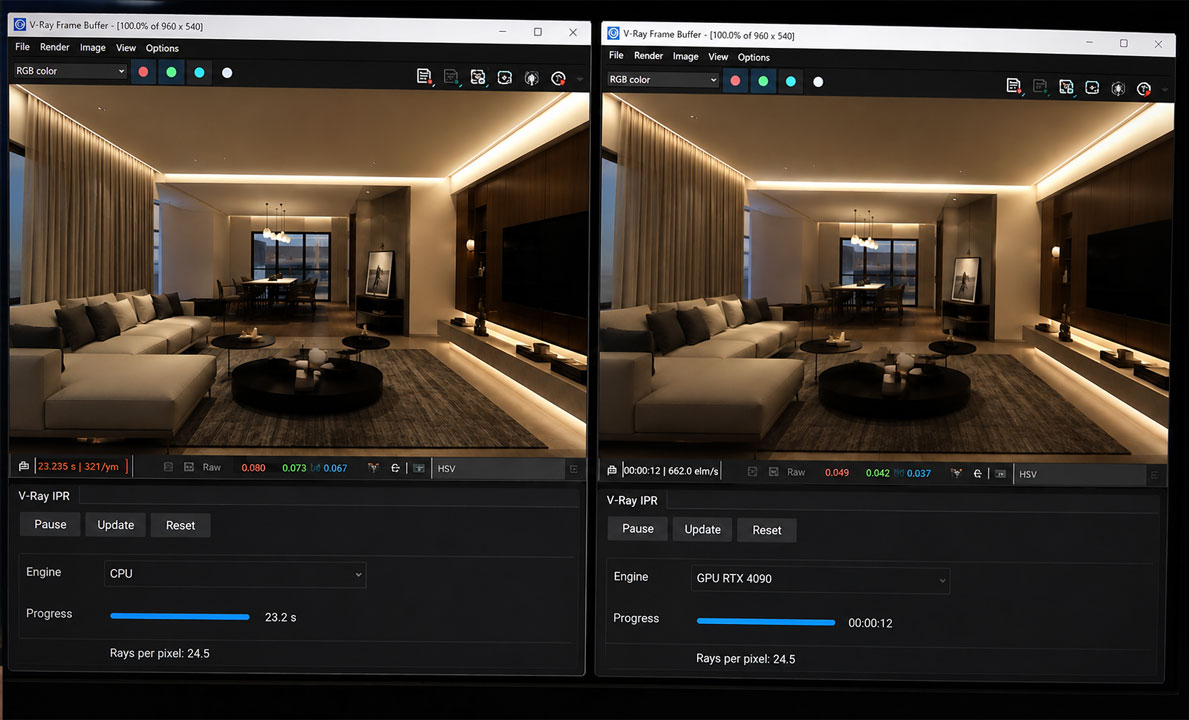
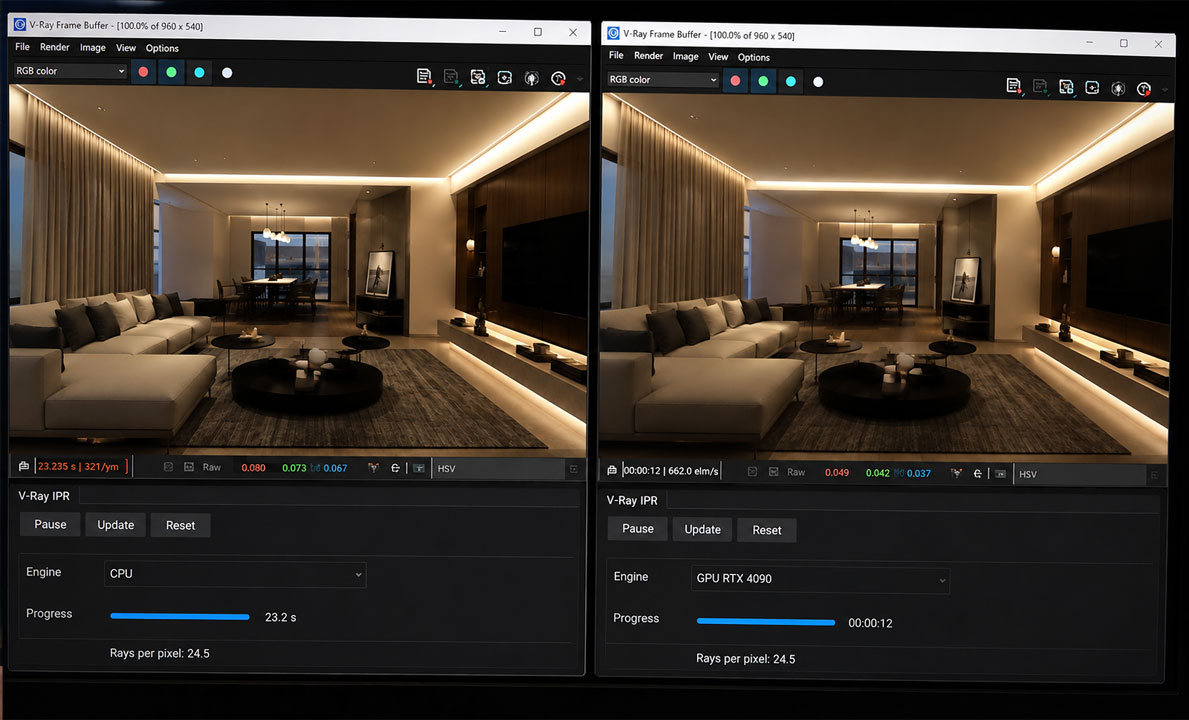
Lighting iteration in V-Ray is slow because every small change means another full test render, and global illumination forces V-Ray to recompute how light bounces around the whole scene each time. On CPU rendering a single test of an interior can take several minutes, so adjusting one light fifteen times burns most of an afternoon waiting. The thing that breaks this loop is interactive GPU rendering, where V-Ray GPU updates a live preview within seconds of a change on a fast card. A render farm does not help with iteration at all, because the submit-and-download round trip is far slower than the tweaks themselves. Farms are for the final batch. For the iteration loop you want a strong GPU you control, either locally or on a rented cloud machine.
Why lighting is the slowest part of the V-Ray workflow
Modeling you do once. Lighting you do over and over, and that repetition is the cost. Every time you nudge a sun angle, change a portal, or warm up an interior light, the look of the whole scene shifts, so you fire off another test render to judge it. With global illumination switched on, which arch-viz always needs, V-Ray is not just shading the pixels you changed. It is recomputing how light bounces off every surface in the room, which is why a small tweak triggers a long wait.
On CPU rendering the wait stacks up brutally. If one test view of a furnished interior takes four minutes to resolve to a readable noise level, and a typical lighting pass involves a dozen or more rounds of tweak, wait, judge, you have lost an hour just looking at progress bars. I have sat through afternoons like that, and the frustrating part is that none of it was creative work. It was latency between decisions.
Interactive GPU rendering changes the loop
The shift that actually fixes this is moving the iteration onto V-Ray GPU with interactive rendering turned on. Instead of committing to a full test render for every change, you get a live viewport that refines continuously, and the moment you move a light it starts updating, clearing to a usable preview in seconds rather than minutes on a strong card. You are no longer rendering to check a decision. You are seeing the decision as you make it.
The catch is that interactive GPU rendering rewards a powerful card and plenty of VRAM, which is exactly what a lot of arch-viz workstations lack. On a mid-range or older GPU the live preview crawls and you are back to waiting, just in a different window. This is the same GPU-versus-CPU question we take apart in V-Ray GPU vs CPU for architecture, and lighting iteration is where the GPU advantage is felt most.
| Iteration approach | Feedback after a light tweak | Best for |
|---|---|---|
| V-Ray CPU, full test renders | minutes per round | Final quality, not iteration |
| V-Ray GPU interactive, mid-range card | tens of seconds, choppy | Light scenes only |
| V-Ray GPU interactive, RTX 4090 class | seconds, near-live | Fast lighting iteration on heavy interiors |
Where a render farm fits, and where it gets in the way
This is the part worth slowing down on, because the obvious instinct here is wrong. V-Ray is an offline engine, so unlike Lumion or D5 it absolutely can run on a SaaS render farm, and for final output those farms are excellent. GarageFarm, RebusFarm and Fox Renderfarm will take your finished V-Ray scene and render the full quality stills or animation across a large node pool far faster than your workstation could. RebusFarm in particular pairs that with a scene checker that catches missing assets, GarageFarm with support that helps if you are newer to the workflow, and Fox with the lowest cost on big batches.
None of that helps you iterate lighting, and trying to use a farm for it actively slows you down. Iteration is a tight loop of tiny changes, and a farm works by you uploading a scene, waiting in a queue, and downloading a result. That round trip is measured in minutes and queue position, which is slower than the four minute CPU render you were already complaining about. Farms are built to render a finished thing many times over, not to give you live feedback while you make decisions.
So the sensible split is to iterate on a strong GPU you control, then send the approved scene to a farm for the heavy final if your output is offline. If your own GPU is too weak for fast interactive work, you can rent one. iRender lets you connect to a remote RTX 4090 with 24GB of VRAM by remote desktop and run V-Ray GPU interactively there, which gives you the near-live loop without buying a new card, and you can use it for the final render too. The usual conditions apply: you set the machine up yourself, around fifteen minutes the first time, and the billing clock runs until you disconnect, so you would shut it down between sessions.
Two different jobs, two different tools. Iterate lighting on a remote RTX 4090 through iRender’s interactive desktop, then render the final however you like. New accounts get a 100 percent first-deposit bonus, and a free trial lets you test the live loop on your own scene. →See iRender’s V-Ray GPU servers
For non-hardware ways to speed up the look itself, we collected the workflow tricks in how to iterate on arch-viz lighting faster, and the deadline pressure that makes all of this urgent is in why render times eat client deadlines.
FAQ
- Why is lighting iteration so slow in V-Ray?
Because each change forces a fresh test render, and with global illumination V-Ray recomputes how light bounces through the whole scene every time, not just the part you altered. On CPU rendering a single interior test can take several minutes, so a normal lighting pass of a dozen or more rounds burns an hour or more in waiting. The slowness is latency between decisions rather than the final render being heavy.
2. How do I speed up lighting iteration in V-Ray?
Move iteration onto V-Ray GPU with interactive rendering turned on, which gives a live preview that updates within seconds of a change instead of a full test render each time. This rewards a powerful card with plenty of VRAM, so on a mid-range or older GPU the live loop still crawls. A current card such as an RTX 4090, owned or rented, is what makes interactive lighting feel near-live on heavy interiors.
3. Can a render farm speed up my V-Ray lighting iteration?
No, and it usually makes iteration slower. V-Ray can run on SaaS farms like GarageFarm, RebusFarm and Fox, and they are excellent for final batch output. But iteration is a tight loop of small changes, and a farm works by uploading, queuing and downloading, which takes minutes per round. That round trip is slower than the local test render you were trying to avoid. Use a farm for the final, and a strong GPU you control for the iteration.
4. Is it worth renting a cloud GPU just for V-Ray iteration?
If your own GPU is too weak for fast interactive rendering, it can be. A remote RTX 4090 with 24GB of VRAM through an IaaS service like iRender gives you the near-live V-Ray GPU loop without buying a new card, and you can render the final on the same machine. Watch the billing timer, since it runs until you disconnect, and shut the server down between sessions so you only pay for time you are actually working.
Related post: Why Your Old GTX 1070 Can’t Keep Up with Lumion 2026 Anymore


