The Surprise Cloud Render Bill: Why You Got Charged for an Idle Machine
If your cloud render cost far more than the render should have, the culprit is almost certainly idle billing. On a per-hour cloud GPU service, the meter runs from the moment the machine boots until you shut it down, not only while it is rendering. So a render that finishes at 11pm on a machine you forget about keeps charging until you log back in the next morning. At an illustrative rate of about eight dollars an hour, a single RTX 4090 left running overnight can quietly add roughly $65 for doing nothing, and a forgotten 8-GPU server can run into the hundreds. The fix is simple once you know the rule: shut the machine down the instant the job is done
What idle billing actually is
This catches almost everyone once. When you rent a per-hour cloud machine, you are renting the whole computer, the same way you would rent a car. The car company does not charge you only for the minutes the engine is under load. They charge from pickup to return. A cloud GPU works the same way: you are billed for every hour the machine is powered on and assigned to you, whether it is rendering at full tilt or sitting at the desktop doing nothing. The render finishing does not stop the clock. Only shutting the machine down does.
It is an easy thing to miss because it runs against the instinct built by every render you have done locally, where “the render finished” and “the cost stopped” were the same moment. In the cloud they are two separate events, and the gap between them is where surprise bills live.
How a few forgotten hours turn into real money
The amounts are not catastrophic per hour, which is exactly why they sneak up on you. It is the hours stacking up unwatched that hurt. Here is roughly how it adds up at an illustrative rate of about eight dollars an hour for a single RTX 4090, scaling up for bigger machines:
| What you forgot | Idle time before you noticed | Rough wasted cost (~$8/hr) |
|---|---|---|
| Single RTX 4090 left on after an evening render | ~8 hours overnight | around $65 |
| Single RTX 4090 forgotten over a weekend | ~60 hours | around $480 |
| 8-GPU server left on after a batch finished | ~8 hours overnight | several hundred dollars |
| Machine left running during a long lunch | ~2 hours | around $16, often unnoticed |
The weekend row is the one that ends up in horror stories. Someone kicks off a Friday render, leaves for two days, and comes back to a bill that assumed they were working the whole time. None of it was render cost. It was a powered-on machine waiting for an instruction that never came.
How to make sure it never happens to you
Preventing this is mostly about building one habit and leaning on a couple of safeguards.
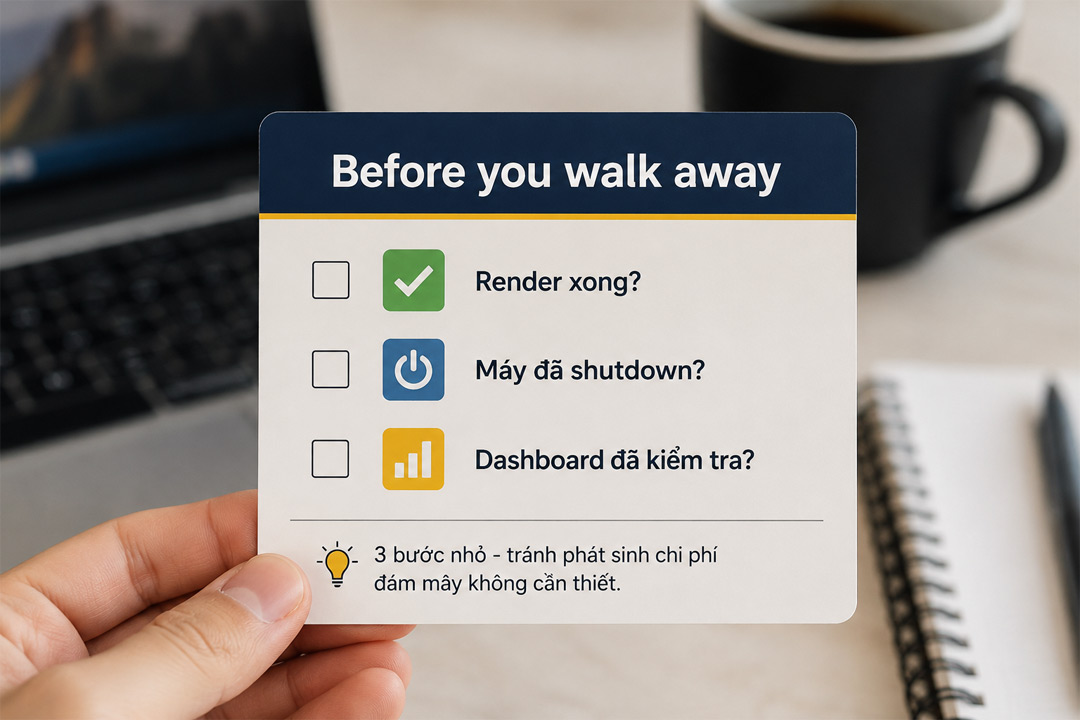
- Shut the machine down yourself the moment the job finishes. Closing the remote desktop window is not the same as shutting down; the machine often keeps running. Power it off from inside the session or from the provider’s dashboard.
- Set an alarm for when your render should finish, especially for evening jobs, so you log back in to confirm it shut down rather than trusting yourself to remember at midnight.
- Use auto-shutdown if your provider offers it, which powers the machine off after a render completes or after a set idle period. This is the single best protection against the overnight bill.
- Check the billing dashboard at the start of each session, so a machine you left on by accident shows up within minutes, not at the end of the month.
This is where per-frame farms have an edge
Idle billing is a feature of the per-hour, rent-a-whole-machine model, and to be fair across the board, the per-frame model does not carry this risk at all. SaaS render farms like GarageFarm, RebusFarm and Fox Renderfarm charge you for frames rendered, not hours a machine is on. You submit a finished scene and pay for the output, so there is no meter of yours left running and nothing to forget to shut down. For a defined batch of offline frames in V-Ray, Corona or Arnold, that predictability is a genuine advantage, and worth weighing if billing surprises worry you.
The reason people still use per-hour machines is everything the per-frame model cannot do: run real-time apps like Lumion, Enscape and D5, install custom software, and work interactively. iRender is the per-hour service I reach for there, and like every IaaS provider it has the idle clock, so the shutdown habit applies. What softens the cost is using the promotions, a first-deposit bonus and Credit Back that lower the effective rate, and a free trial to learn the shutdown routine before real money is involved. The full picture of when per-hour is worth it sits in why cloud rendering feels expensive, and the worked Lumion numbers are in how much it costs to render a Lumion project.
Want the control of a per-hour machine without the overnight surprise? iRender offers auto-shutdown and a free trial, so you can lock in the habit before it costs you. The rate is straightforward; the savings come from powering off when you finish. <a href="https://irendering.net/?utm_source=radarrender&utm_medium=referral&utm_campaign=surprise-idle-bill" target="_blank" rel="noopener">See iRender’s pricing and shutdown options</a> →
FAQ
- Why was I charged for a cloud machine that was not rendering?
Because per-hour cloud GPU services bill for every hour the machine is powered on and assigned to you, not only the time it spends rendering. Like a rental car charged from pickup to return, the meter keeps running once your render finishes and stops only when you shut the machine down. A render that ends overnight on a machine you forgot to power off will bill until you log back in.
2. How much does leaving a cloud GPU running overnight cost?
At an illustrative rate of about eight dollars an hour for a single RTX 4090, eight idle hours overnight is roughly $65 for no work done. A machine forgotten over a weekend, around sixty hours, can reach roughly $480, and a multi-GPU server left on can run into several hundred dollars in a single night. The exact figure depends on the rate and machine, so check yours, but the lesson holds: idle hours are pure waste.
3. How do I avoid surprise cloud render bills?
Shut the machine down the moment the job finishes, and remember that closing the remote desktop window is not the same as powering off. Set an alarm for evening renders so you confirm shutdown, use auto-shutdown if your provider offers it, and check the billing dashboard at the start of each session. Those four habits remove almost all of the surprise.
4. Do all render farms charge for idle time?
No. Only per-hour services that rent you a whole machine, the IaaS model, carry idle billing. Per-frame SaaS farms like GarageFarm, RebusFarm and Fox charge for frames rendered, not hours a machine is on, so there is no idle meter to forget. The per-hour model exists because it can run real-time apps and custom setups that per-frame farms cannot, but for a plain offline batch the per-frame model avoids idle risk entirely.
Related post: My Computer Is Unusable While Rendering. Here’s How Architects Reclaim Their Workstation