My Computer Is Unusable While Rendering. Here’s How Architects Reclaim Their Workstation
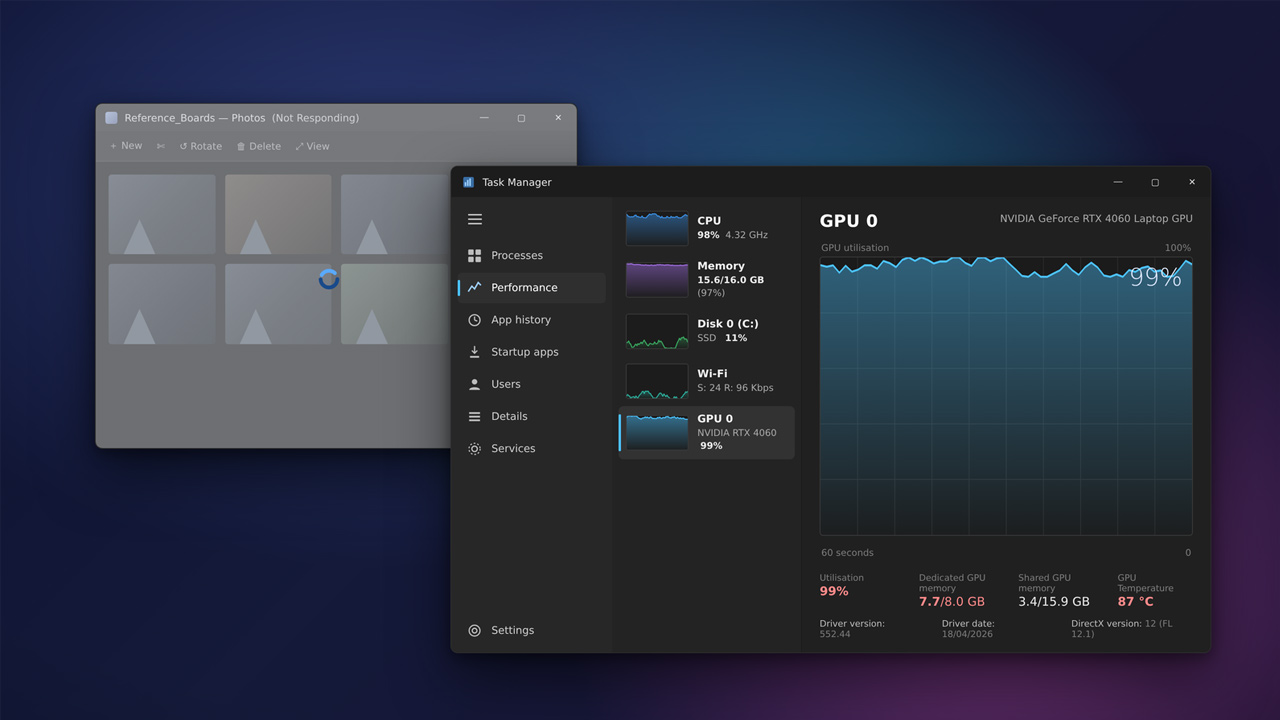
When a render starts and your whole machine freezes, that is the render claiming the exact hardware you need for everything else. Rendering pins the GPU and a good chunk of the CPU and RAM, so the cursor stutters, the browser hangs, and even checking email becomes a chore. Local tricks like lowering process priority help a little, but the only reliable way to keep working is to move the render off your machine, either to a render farm for offline engines or to a cloud GPU you control. Then the render runs somewhere else while your workstation stays yours.
I lost count of the afternoons I used to surrender to a progress bar, unable to do anything but wait. What ended it was not a faster computer, but a change of approach: the render no longer had to happen on the machine I was trying to work on.
Why one render takes the whole machine hostage
A render is not a polite background task. To finish quickly it grabs everything it can, which on a single workstation means the same GPU that draws your screen, much of your processor, and a large slice of memory. While Lumion or V-Ray is chewing through frames, the operating system is left fighting for scraps to keep the interface moving, which is why the mouse lurches and apps stop responding. The software is doing exactly what you asked, with no resources left over for you.
This gets worse with the kind of work that already strains your setup. A heavy 4K scene or an animation runs for a long time, so the lockout stretches from a five minute wait to your whole afternoon. It is the same single-machine ceiling we describe from a different angle in why one GPU is not enough for modern arch-viz, and it overlaps with heat problems too, since a pinned GPU runs hot, which we cover in GPU overheating during renders.
The local tricks, and how little they actually buy you
Plenty of guides hand you a list of tweaks for working through a render. They are worth knowing, but go in with low expectations, because none of them changes the basic fact that one machine is doing two heavy jobs at once.
| What you can try locally | How much it really helps |
|---|---|
| Lower the render process priority in Task Manager | A little. The interface gets slightly more responsive, but the render slows in return. |
| Cap GPU or CPU usage in the renderer | Some. You keep a sliver of headroom, at the cost of a longer render. |
| Render at night or over lunch | Works, but only if your schedule has gaps, and it ties up the machine those hours. |
| Use an old second PC for the render | Frees your main machine, if the old PC is strong enough to finish in reasonable time. |
Notice the pattern. Every local option trades render speed for a bit of usability, or depends on you having spare hardware lying around. That is the wall, and it is why most architects who do this often end up looking off the machine entirely.
The real fix: let the render happen somewhere else
The moment the render leaves your workstation, the problem disappears, because your GPU is no longer shared between the job and you. Where it goes depends on your renderer, and the split is worth getting right. If your output is an offline engine like V-Ray or Corona, a SaaS render farm takes the whole job onto its own nodes, and your machine is free the instant you submit. GarageFarm leans on responsive human support that helps if you are new to submitting jobs, RebusFarm adds a scene checker and handles Corona well, and Fox Renderfarm is usually the cheapest for large offline batches. None of them runs a real-time app, though, so if you work in Lumion, Enscape or D5, those farms are not the answer.
For real-time tools, and for anyone who wants a full Windows machine to themselves, the cloud option is an IaaS server. You rent a remote RTX 4090 machine, run your render there, and keep using your own computer normally the whole time, since the work is happening on hardware you connected to rather than the one in front of you. iRender is the service I reach for here, mostly because you can spin a machine up just for the render and shut it down after. That shutdown step matters, because the billing clock runs until you do, so a machine left on after the render finishes keeps charging. New accounts get Credit Back on each session and a free trial to test the workflow on a real scene.
Stop surrendering your afternoon to a progress bar. Run the render on a remote RTX 4090 through iRender and keep working on your own machine. Free trial to test it on your scene first. See how it works
If the render running overnight is your specific frustration, the setup for that is in rendering an animation overnight without leaving your PC on.
FAQ
- Why does my whole computer freeze when I render?
Because the render takes the same hardware you use for everything else. To finish quickly it pins the GPU that draws your screen, plus much of the CPU and RAM, leaving the operating system almost nothing to keep the interface responsive. That is why the cursor stutters and other apps stop responding. It is not a fault, it is the render using all the available resources, which is unavoidable when one machine does both jobs at once.
2. How can I use my PC while it is rendering?
Locally, you can lower the render’s process priority or cap its GPU and CPU use, which frees a little headroom but slows the render in return. The dependable fix is to move the render off your machine entirely: a render farm for offline engines like V-Ray, or a cloud GPU server for real-time apps like Lumion. With the render running elsewhere, your own workstation stays fully usable the whole time.
3. Does cloud rendering free up my computer?
Yes, that is one of its main practical benefits. When you render on a remote machine, whether a render farm or a cloud GPU server you control, the work happens on that hardware, not yours. Your own computer only shows the remote screen or manages the upload, so it stays responsive for modeling, email or anything else. Just remember to shut a rented cloud machine down when the render finishes so it stops billing.
Related post: Missing Client Deadlines Because of Render Times? Here’s the Real Fix