

Top Must-Have Cinema 4D Plugins in 2026
The must-have Cinema 4D plugins in 2026 depend on the job. For architectural scenes, Forester and scatter tools fill exteriors with vegetation, Greyscalegorilla tools such as Light Kit Pro speed up lighting, and asset libraries like Cargo cut modeling time. X-Particles covers advanced particles and fluids, and Signal handles procedural animation. Cinema 4D 2026 already includes MoGraph and the Unified Simulation System, so buy a plugin only when it removes a task you repeat on most projects, and check that its license allows use on a render farm or remote machine.
Quick Fix: Start with one scatter tool and one lighting or asset plugin, run them on a real client scene, then add more only when a project needs them.
- Why Plugins Matter in 2026: Cinema 4D 2026 ships with strong native tools, but third-party plugins still save many hours on scattering, lighting setups, asset libraries and simulation.
- X-Particles (VFX & Simulation): The industry standard for complex particle physics, fluid dynamics, and smoke/fire without node-based coding hassles (£390/year).
- Forester (Procedural Environments): Automates 3D vegetation creation, object scattering (MultiClone), and natural HyperWind dynamics for ArchViz and landscape scenes (perpetual license).
- Signal (Keyframe-Free Motion): Applies procedural mathematical curves directly to C4D attributes for effortless looping animations and rhythmic motion (Greyscalegorilla plan, listed at $79 per month or $281 per year in November 2026).
- Cargo (1-Click Asset Manager): Streams KitBash3D models and materials directly into C4D viewports with pre-configured native shaders and smart VRAM controls (KitBash3D content comes with the Everything Bundle, listed at $159 per month or $569 per year in November 2026).
- Light Kit Pro (Studio Lighting): Simulates real-world photography gear (softboxes, backdrops) and translates lighting setups across Redshift, Octane, Arnold, and C4D renderers (GSG subscription required).
- MoGraph (Core Foundation): C4D’s built-in procedural engine (Cloners, Effectors, Fields) that serves as the non-destructive backbone for the entire plugin ecosystem (Included in C4D at €859.77/year).
Cinema 4D is widely celebrated for its intuitive interface and unmatched workflow efficiency in 3D and Motion Graphics. However, if you aim to tackle high-end commercial projects, 3D product spots, or complex visual effects (VFX), relying solely on native tools won’t cut it. Third-party plugins serve as the ultimate “secret weapon,” helping 3D artists compress weeks of work into just a few hours. In 2026, driven by next-gen GPUs (like the NVIDIA RTX 50 Series) and procedural workflows, which plugins are truly worth your hard-earned money?
Below is an in-depth breakdown of the top Cinema 4D plugins in 2026, complete with pricing, real-world pros and cons, and target use cases.
Cinema 4D 2026: The Next Era of 3D Motion & Procedural Design
Overview of Cinema 4D in 2026
Cinema 4D has long stood as the gold standard for motion graphics, architectural visualization, and high-end 3D design. Entering 2026, Maxon’s flagship software has taken a massive leap forward, further closing the gap between artistic flexibility and raw computational power. Powered by deep integration with next-generation GPU architecture such as NVIDIA’s RTX 5090 and refined procedural workflows, C4D 2026 provides artists with unprecedented real-time viewport fidelity, ultra-responsive Simulation Nodes, and a heavily optimized NeXus/Redshift rendering pipeline.
Whether you are crafting intricate motion graphics for global brand campaigns, building hyper-realistic 3D environments, or running complex physics simulations, Cinema 4D 2026 offers an incredibly streamlined foundation. Its legendary user-friendly interface remains intact, making high-level 3D creation more accessible than ever while continuing to handle massive scene scales effortlessly.
Why 3D Plugins Are More Critical Than Ever in 2026
While Cinema 4D 2026 provides a robust and versatile native toolset, relying exclusively on out-of-the-box features is no longer enough to stay competitive in today’s fast-paced digital industry. Clients now demand Hollywood-grade visual effects, cinematic photorealism, and complex particle interactions on tighter deadlines and smaller budgets. This is precisely where third-party plugins become indispensable.
Here is why investing in the right plugin ecosystem is paramount in 2026:
- Compressing Production Timelines: In modern commercial pipelines, time is money. Plugins like Signal eliminate hours of tedious keyframing and manual graph editing, allowing artists to automate repetitive animation loops and prepare rock-solid assets for cloud render farms in a fraction of the time.
- Specialized High-End Simulation: While C4D’s native simulation tools have vastly improved, hyper-specialized tasks such as complex fluid dynamics, granular particle storms, or volumetric smoke and fire, still require the sheer horsepower of dedicated engines like INSYDIUM’s X-Particles.
- Streamlined World-Building & Asset Management: Creating realistic natural environments or detailed urban landscapes from scratch is a massive bottleneck. Tools such as Forester (for procedural vegetation and wind dynamics) and Cargo (for 1-click AAA 3D asset importation) allow creators to build expansive, cinematic worlds in minutes rather than days.
In essence, third-party plugins are not mere add-ons in 2026, they are the force multipliers that bridge the gap between native software capabilities and studio-grade efficiency, empowering solo creators and full-scale production teams to deliver extraordinary work without burning out.
Top Must-Have Cinema 4D Plugins in 2026
X-Particles

source: insydium
Developed by INSYDIUM, X-Particles is an advanced, fully-featured particle and simulation engine built natively for Cinema 4D. As the core component of the INSYDIUM Fused suite, it operates using an intuitive System of Emitters, Modifiers, and Dynamics (Gaseous, Liquids, Cloth, and Rigid Bodies). It allows artists to create complex VFX physics without node-based complexity or coding.
If you work in Motion Design or VFX, X-Particles need no introduction. As the core component of the INSYDIUM Fused ecosystem, it remains the premier particle, fluid, cloth, and fire/smoke simulation engine built natively for Cinema 4D eliminating the steep learning curve and node complexities of software like Houdini.
- Fused Complete, perpetual: 890£ (all Fused prices exclude VAT)
- 12-month subscription: 390£ (about 32.50£/month)
- 6-month subscription: 250£; 3-month subscription: 160£
- NeXus alone (GPU): 140£
Pros:
- MoGraph Integration: Works with C4D’s MoGraph toolset and popular render engines like Redshift, Octane, and Cycles 4D.
- All-in-One Suite: The INSYDIUM Fused package also includes NeXus (GPU acceleration), Taiao (procedural vegetation), and MeshTools.
- Intuitive UX: Far more artist-friendly than setting up complex simulation networks in Houdini.
Cons:
- High recurring subscription cost for solo freelancers.
- For ultra-large-scale environmental simulations, performance still lags slightly behind Houdini.
Best For: Motion Graphic Artists and VFX Artists creating complex particle systems, fluid dynamics, sci-fi visuals, and high-end beauty/cosmetic ads.
Forester

source: 3dquakers
Forester is a procedural vegetation generation plugin for Cinema 4D. It utilizes procedural algorithms to generate custom trees, plants, rocks, and grass, paired with a proprietary procedural wind engine (HyperWind) and a high-performance scattering tool (MultiClone). Building natural outdoor environments manually is a major time sink. Forester automates forest and landscape creation within C4D, allowing 3D artists to generate infinitely variable plant life and realistic wind movements with zero rigging. It turns what used to be days of modeling and scattering into minutes of procedural parameter tweaking.
Forester has 4 modules: Forester Trees, MultiFlora (grass and plants), MultiCloner (object scattering) and Forester Rock. HyperWind technology makes plants sway in the wind, and the 2026 release uses Multi-Instances for faster viewport and rendering, with native Apple Silicon support.
Prices
3DQUAKERS sells Forester as a perpetual license, with Expansion Pack 1 (tree species) and Expansion Pack 2 (plant species) sold separately. Its store does not show prices before checkout, so check the current figures on the 3DQUAKERS store. Forester 1.x includes two years of free updates, after which a one-year maintenance plan is offered.
In the UK, CAD Software Direct listed it at 305 GBP when this guide was updated. Prices change, so confirm the current price with the vendor before paying.
Pros
- Runs on Cinema 4D R20 through 2026, on Windows and Mac, with Standard, Physical, Arnold, Octane, Redshift, Corona and V-Ray.
- Render machines on Team Render or the command line don’t need a Forester license; only the main machine does.
- Suits architectural visualization and nature-heavy scenes.
Cons
- The base plugin does not create render-engine-specific materials; that feature is in the Expansion Packs, so budget for at least one pack if you render with Redshift, Octane or another engine.
- The license is tied to the MAC address of one machine.
- If you already bought Fused, Taiao already makes trees and grass, so Forester may be redundant.
Best For: Architectural Visualization (ArchViz) Artists, Cinematic 3D Artists, and environment-focused commercial projects.
Signal

Source: greyscalegorilla
Signal is a procedural animation plugin designed to drive any numeric attribute in Cinema 4D without keyframes. Using mathematical generators, noise functions, and custom easing curves, Signal applies continuous parametric motion directly to object properties (position, scale, rotation, color, noise). Motion graphics frequently require rhythmic, pulsing, or perfectly looping animations (such as UI elements, mechanical parts, and LED visuals). Signal eliminates graph editor wrestling by letting artists drag-and-drop procedural drivers onto any channel. It drastically reduces manual labor while delivering flawless, looping motion controls.
Prices on the Greyscalegorilla pricing page: the page lists subscriptions only, with no standalone Signal.
- Greyscalegorilla plan: 79 USD/month billed monthly, or 281 USD/year billed yearly (November 2026; the page also shows 468 USD next to the yearly price)
- Everything Bundle (adds the KitBash3D library): 159 USD/month billed monthly, or 569 USD/year billed yearly (the page also shows 948 USD next to it)
A Library plan includes 20+ plugins, scripts and tools for Cinema 4D, 3,500+ materials, 1,000+ models, 600+ HDRIs, and a commercial license. There is a 7-day refund window. If you stop subscribing, finished work stays yours, but you can’t use the assets in new projects.
Pros:
- Keyframe-Free Workflow: Drag and drop Signal onto any C4D attribute, set frequency and limiters to generate instant motion.
- Perfect Loops: Create infinite looping GIFs or video assets for social media and stage LED screens effortlessly.
- Intuitive UI: Easily control noise patterns, easing curves, and step functions visually.
Cons:
- Greyscalegorilla operates strictly on a full subscription suite model; Signal cannot be purchased standalone.
Best For: Broadcast Motion Designers, product advertisers, VJs, and LED screen visual creators.
Cargo
Source: kitbash3d
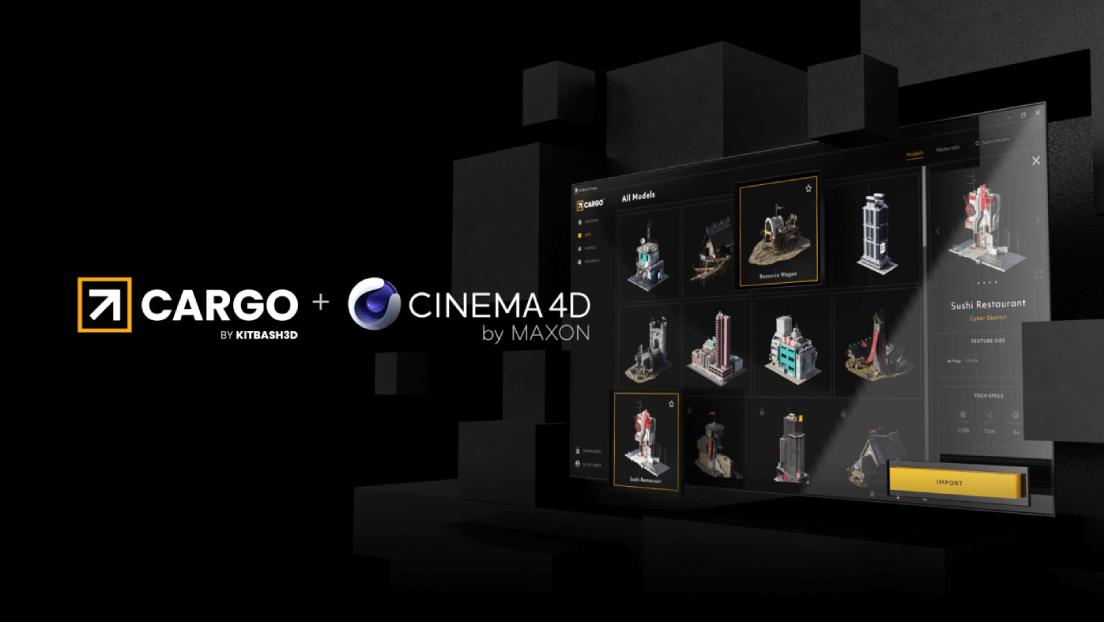
Cargo is a smart 3D asset management software and direct-to-DCC (Digital Content Creation) integration platform. It functions as an intelligent digital bridge connecting KitBash3D’s vast library of premium 3D models and materials directly to Cinema 4D. Cargo manages digital assets through a unified desktop client, handling background downloading, mesh extraction, texture path resolution, and instant scene injection with automated shader network setup for major C4D render engines.
Cargo revolutionizes this workflow in C4D 2026 by fully automating asset ingestion. With a single click inside the Cargo desktop app, high-fidelity 3D assets are pushed straight into your active Cinema 4D viewport with fully pre-configured native shader networks (including PBR displacement, roughness, and normal maps). By removing tedious asset preparation, Cargo empowers C4D artists to focus entirely on artistic composition, lighting, and visual storytelling on tight production deadlines.
Price
- Greyscalegorilla Library: 79$/month, 468$/year
- KitBash3D Library: 119$/month, 708$/year
- Everything Bundle: 159$/month, 948$/year
Pros:
- 1-Click C4D Integration: Pushes models directly into the active C4D scene with correct scale, pivot points, and pre-built shader graphs for Redshift, OctaneRender, and C4D Standard/Physical Render.
- AAA Film & Game Quality: Assets are engineered to Hollywood movie and AAA game production standards, featuring optimized quad topology and high-resolution PBR textures up to 8K.
- Smart VRAM & Memory Management: Allows artists to select target texture resolutions (1K, 2K, 4K, or 8K) prior to import, preventing GPU VRAM overflow on dense scenes.
- Cross-DCC Flexibility: If your pipeline involves multiple programs, Cargo imports assets into Cinema 4D, Unreal Engine, Maya, Blender, and 3ds Max with consistent material parity.
Best for: Concept Artists, Environment Designers, Matte Painters, and VFX/Commercial Studios building massive sci-fi cities, historical environments, or post-apocalyptic worlds under strict project deadlines.
Light Kit Pro

Source: greyscalegorilla
Light Kit Pro is an industry-standard studio lighting plugin for Cinema 4D. It is designed to simulate real-world studio lighting equipment inside 3D software, offering customizable softboxes, spotlights, ring lights, umbrellas, and bounce cards. Rather than relying on default digital point lights, Light Kit Pro utilizes physically accurate light fixtures with real-world falloff, custom visual gels, softbox diffusion panels, and instant studio backdrops.
Light Kit Pro completely transforms this workflow in Cinema 4D 2026. It provides a dedicated lighting interface and interactive studio presets that allow artists to place studio grade lighting setups in seconds.
Price:
The Light Kit Pro page says it cannot be bought on its own; you need an active Greyscalegorilla subscription. It is delivered through Cargo to Greyscalegorilla Library, Everything Bundle and Teams subscribers. The plans, from the Greyscalegorilla pricing page:
- Greyscalegorilla Library: 79$/month, 468$/year
- KitBash3D Library: 119$/month, 708$/year
- Everything Bundle: 159$/month, 948$/year
Pros:
- Lights are based on real fixtures with real-world behavior, so product and portrait setups start from something familiar.
- One setup works across Redshift, Octane, Arnold and the native renderers, so you can switch engines without rebuilding the lighting.
- Your own setups can be saved as presets and reused.
Cons:
- No standalone purchase: at least 281 USD a year at the November 2026 yearly price, and the access ends if you stop paying (for new projects).
- Compatibility notes are not fully consistent across Greyscalegorilla pages, and V-Ray is not listed, so check with the company if you use it.
Best For: Product Visualization Artists, Commercial Motion Designers, ArchViz Artists, and 3D Brand Designers who need high-end studio lighting setups on tight turnarounds.
MoGraph

Source: Maxon
MoGraph is Cinema 4D’s core procedural animation toolset. It combines procedural generators such as the Cloner, Matrix, Fracture, and Voronoi Fracture with a powerful system of Effectors (Plain, Delay, Target, Sound, Fields, and Formula). Rather than keyframing objects individually, MoGraph uses mathematical falloffs and parametric controls to animate thousands of clones simultaneously with complex motion, dynamics, and timing.
MoGraph is the foundational feature that established Cinema 4D as the undisputed leader in 3D Motion Design for broadcast, title sequences, commercial advertising, and live stage visuals. MoGraph includes Cloners, Effectors and Fields, and it works with C4D’s Unified Simulation System (Rigid/Soft Bodies, Cloth, and Rope).
Price:
- MoGraph is not sold separately. It is included in Cinema 4D.
- Cinema 4D is subscription only: 121.77€/month or 859.77€/year
- The subscription also includes Redshift and 5 Team Render nodes
Pros
- No extra cost if you already have Cinema 4D.
- Non-destructive workflow: change one parameter and the whole clone array updates.
- Deep toolset: Cloner with several modes, 15 Effectors, and Fields for controlling where effects apply.
- Works with the wider ecosystem, including X-Particles effectors and Redshift.
Cons
- You can’t buy it alone. Using MoGraph legally means subscribing to all of Cinema 4D.
- Full Instance mode uses a lot of memory. Multi-Instance is lighter but has limits, and you may have to fall back to Render Instance.
Best For: Motion Designers, Broadcast Graphic Artists, Commercial Animators, VFX Artists, and UI/Faux-UI Designers building procedural title sequences, looping brand idents, and dynamic data visualizations.
Conclusion: Build Your Ultimate 2026 Sandbox
At the end of the day, tools don’t make the artist, but the right tools do set your imagination free. Cinema 4D 2026 provides a supercharged engine out of the box, but third-party plugins act as the ultimate force multipliers that transform good renders into show-stopping portfolio pieces. You don’t need to buy the entire arsenal on day one. Instead, tailor your toolkit to your creative battlefield: let X-Particles fuel your complex VFX physics, rely on Signal and Light Kit Pro to conquer tight commercial animation deadlines, or stack Forester and Cargo to craft sprawling, cinematic environments in a single afternoon.
Ultimately, your creative energy and time are your most valuable assets in 2026. By strategically investing in plugins that eliminate technical friction and automate tedious setups, you free yourself to focus on what actually matters, pushing visual boundaries and telling unforgettable stories.
Can you run these Cinema 4D plugins on a remote GPU server?
iRender rents whole remote GPU servers that you operate yourself (an IaaS model). Its pricing page lists RTX 4090 (24 GB) servers from $8.20 per hour and RTX 5090 (32 GB) servers from $10.80 per hour (checked November 2026) and describes its data center as Tier III (Uptime Institute) with ISO 27001, ISO 9001 and ISO 50001 certifications, and its terms and conditions offer an NDA for confidential projects. The limits: you install and license Cinema 4D and each plugin yourself (check that each plugin license allows use on a remote machine), billing runs until you shut the server down, and VRAM does not add up across cards.
FAQ
Do I need to buy all these plugins to create high-quality 3D renders in Cinema 4D 2026?
Absolutely not. Cinema 4D 2026 includes a robust suite of native tools, including MoGraph and the Unified Simulation System. Third-party plugins are workflow accelerators designed for specific needs, you should only invest in plugins that solve your immediate bottlenecks, such as X-Particles for complex VFX or Cargo for rapid world-building.
Which GPU renderer is better for Cinema 4D in 2026: Redshift or OctaneRender?
Both are industry-standard, physically accurate GPU renderers. Maxon Redshift is natively integrated into Cinema 4D and excels at complex pipeline integration and memory efficiency. OctaneRender by OTOY is renowned for its hyper-responsive Live Viewer and cinematic lighting setup straight out of the box. The choice largely comes down to personal preference and team workflow requirements.
Can I purchase plugins like Signal or Light Kit Pro as single, perpetual licenses?
No. Signal and Light Kit Pro come only with a Greyscalegorilla subscription. In November 2026 the Greyscalegorilla plan was listed at $79 per month or $281 per year, and it covers the Cinema 4D plugins, materials, models and HDRIs. The Everything Bundle, which adds the KitBash3D library, was listed at $159 per month or $569 per year. Check the pricing page before you buy, because plans and prices change.
Will my GPU VRAM affect how well these C4D plugins perform?
Yes, significantly. GPU-driven render engines (Octane, Redshift) and asset managers streaming high-poly models with 8K textures (Cargo) heavily rely on video RAM. For heavy 2026 production workflows, a graphics card with at least 16GB to 24GB+ VRAM (such as an RTX 4090 or RTX 5090) is recommended to prevent scene crashes.
Do Cinema 4D plugins work on cloud render farms or remote GPU servers?
It depends on the service model. On a SaaS render farm, the farm must support your exact plugin and version, so check its supported software list before uploading. On a remote GPU server such as iRender, the latest Cinema 4D comes pre-installed and you install each plugin yourself; pre-activated licenses are only for Prime members, so for most users plugin support depends on their own licenses rather than on a farm list. Many plugin licenses are tied to one machine or need a license server, so confirm with the plugin vendor that remote use is allowed and move the license before you start a paid session.
See more: Top 6 Blender Plugins for 2026
Part of our guide: for a full overview of cloud options, see the Cinema 4D render farm guide.