Top AI Tools Every 3D Artist Should Try in 2026
“Let’s be honest: being a 3D artist in 2026 is exciting, but also a bit crazy. Remember when we used to wait hours for a single render or spend all weekend fixing messy 3D models? Those days are over. Today, AI has changed everything. The time it takes to go from a simple idea to a finished project has dropped from days to just minutes. If you are still doing everything manually, you are wasting both your time and your health. From smart rendering to easy animation tools, here are the top AI tools every 3d artist should try in 2026 to work faster and smarter.”
I. The Reality of 3D in 2026: Human Creativity Meets AI Power
In 2026, the 3D world is no longer about who has the fastest computer, but who has the smartest workflow. The reality is simple: AI is not replacing 3D artists; it is becoming our most powerful co-pilot. Today, the relationship between an artist and AI is a “partnership.” While we provide the vision, storytelling, and emotional touch, AI handles the “grunt work”—the boring, repetitive tasks like fixing textures, cleaning up meshes, or waiting for noise to disappear in a render.
In this new era, 3D artists are shifting from being “manual laborers” to “creative directors.” Instead of spending 10 hours building a chair from scratch, we use AI to generate the base in 10 seconds, leaving us more time to focus on what actually matters: Art.

source: nbyit
II. Top AI Tools Every 3D Artist Should Try in 2026
1. Rodin AI (by Hyper 3D)
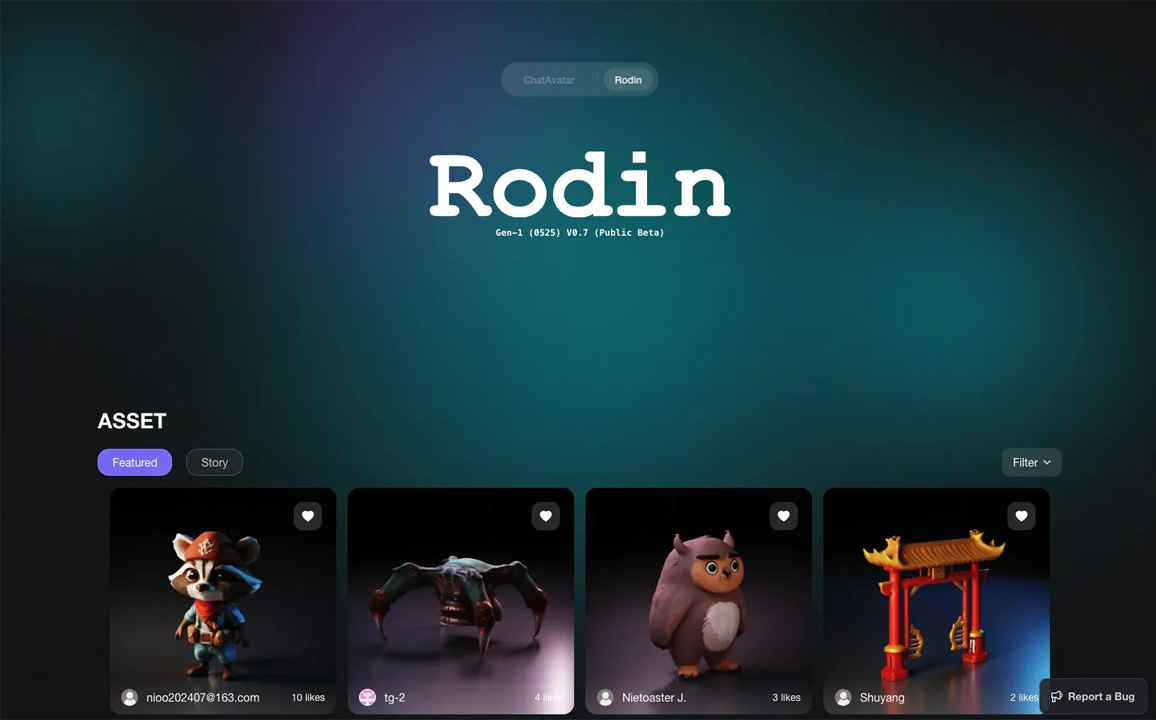
Rodin AI is arguably the most powerful “Generative AI” for 3D professionals in 2026. While other tools focus on speed, Rodin focuses on precision. It is a high-end AI engine that converts 2D images or text descriptions into high-fidelity 3D assets. Within a minute, it generates a model that includes not just the shape, but also high-resolution materials.
- Why use it: The biggest headache for 3D artists is “messy topology” (random triangles and holes in the model). Rodin solves this by producing clean, quad-dominant geometry. This means you don’t have to spend hours “fixing” the model before you can use it. It also generates 4K PBR textures, including maps for metallic and normals, making it look incredibly realistic.
- Best for: If you are using 3ds Max or Blender, Rodin is a lifesaver. For example, if you need a specific, high-end designer sofa for a living room render? Instead of searching hours for a paid model, just upload a photo from a catalog, and Rodin builds it for you. For artists working in Unreal Engine 5 or Unity, Rodin provides “Production-Ready” assets. You can export the model directly as an FBX or OBJ file and it’s ready for lighting.
source: 3D Next
2. Meshy.ai – The All-in-One Speed Tool
In 2026, Meshy.ai has become the go-to tool for artists who need to move fast. If Rodin AI is a “fine artist,” then Meshy is a “high-speed factory.” It is designed to take the boring, technical work off your plate so you can focus on the fun parts of 3D. Meshy is an AI platform that creates 3D models, textures, and skeletons (rigging) in under 60 seconds.
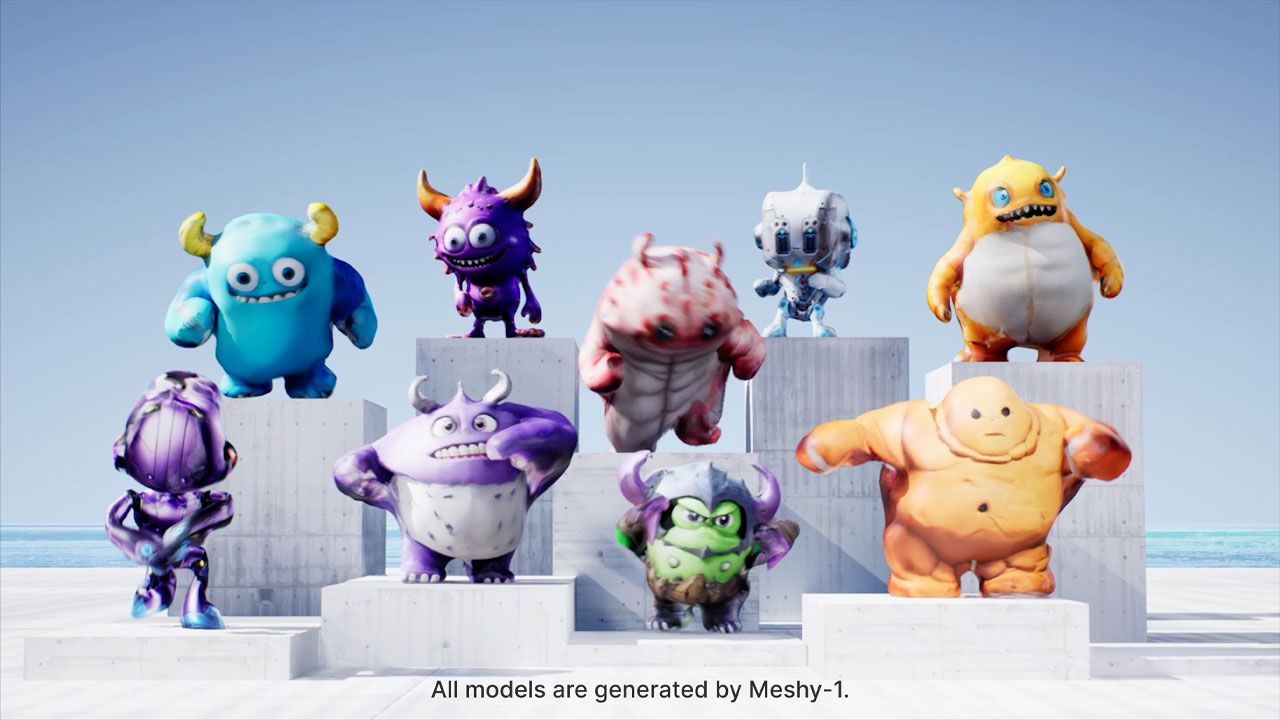
source: Meshy AI
- Why use it: The best part of Meshy is Auto-Rigging. Normally, making a 3D character move is very difficult and takes a long time. Meshy adds the “bones” to your character automatically. This means your character is ready to walk or jump almost immediately.
- Best for: you can use Meshy to make the basic shape, then use Blender to make it look even better. If you use Unity or Unreal Engine, you can use Meshy to make hundreds of small items for your game world, like trees, boxes, or background characters. It saves you from doing boring, repetitive work. Besides, you can use Meshy to make the basic shape, then use Blender to make it look even better.
3. Tripo AI
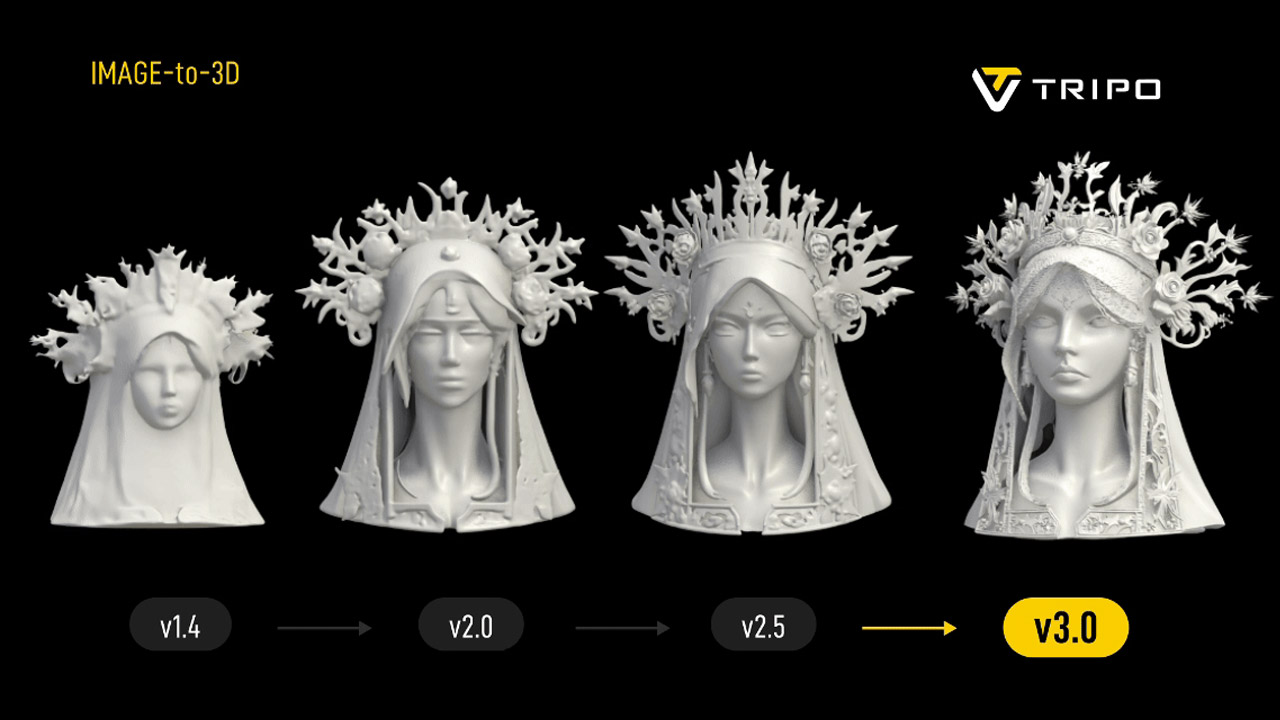
Tripo AI is an AI-powered 3D creation platform designed to generate 3D models quickly from simple inputs like text prompts, images, or sketches. Instead of manually modeling objects in traditional 3D software, users can describe an object or upload a picture and the AI automatically creates a production-ready 3D asset within seconds or minutes.
- Why use it: AI tools like Tripo AI aim to cut this time dramatically, generating models in under a minute and allowing artists to focus more on creativity rather than repetitive modeling work.
- Best for: Tripo AI is best for creators who need fast AI-generated 3D assets without spending hours modeling manually. It’s especially useful for people working in games, animation, product design, and prototyping. For example, Game Developers, 3D Artists & Concept Designers.
source: Tripo
4. NVIDIA Omniverse – AI Collaboration Platform
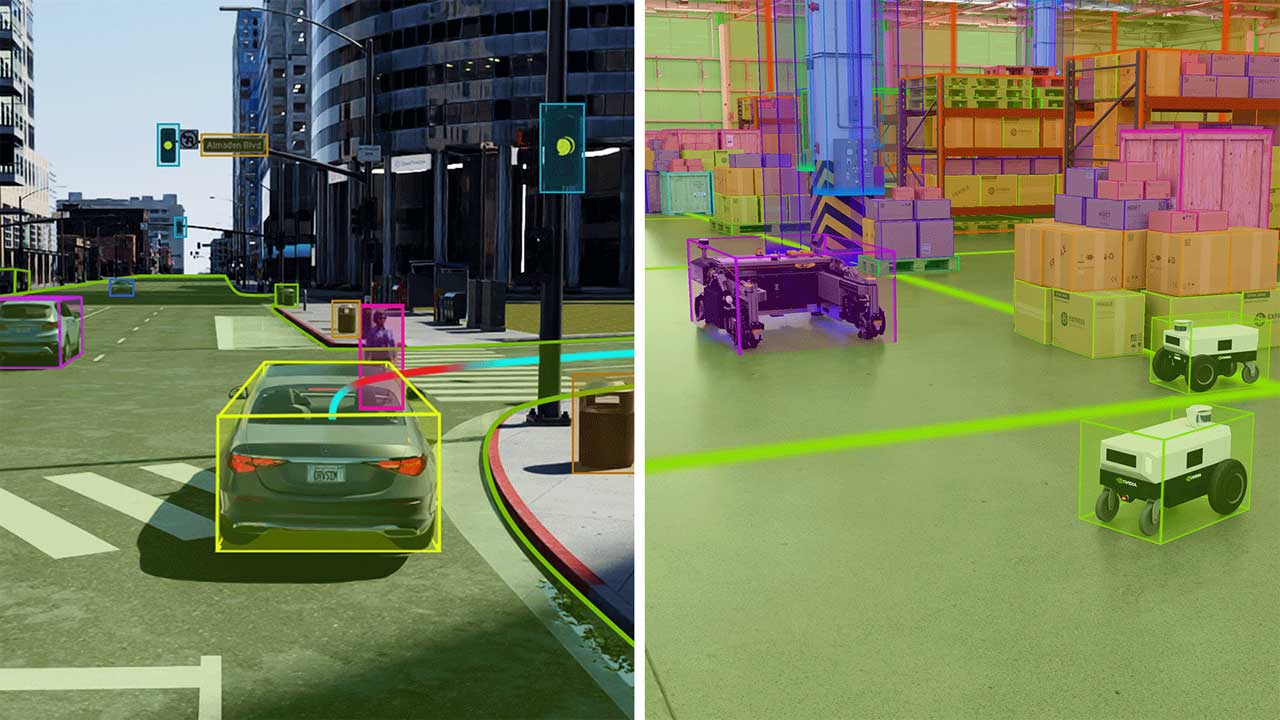
NVIDIA Omniverse has evolved from a simple collaboration tool into the “operating system” for 3D AI. It isn’t just one app; it’s a platform that allows different 3D software (like Blender, Maya, and Unreal Engine) to “talk” to each other in real-time while injecting powerful AI into the workflow.
source: NVIDIA Newsroom
- Why use it: In a normal workflow, moving a project between different apps like Blender, Maya, or Unreal Engine is a nightmare—you’re constantly exporting files, fixing broken textures, and waiting for renders. Omniverse solves this by letting all your favorite tools talk to each other in real-time. If you change a light in one app, it updates instantly in the other.
- Best for: If you use Blender for modeling, Substance for texturing, and Unreal Engine for rendering, you are the prime candidate. For those who need to show clients exactly what a building or product will look like in the real world. Omniverse uses Physically Based Rendering (PBR) and real-world physics.
5. Deep Motion
source: deepmotion
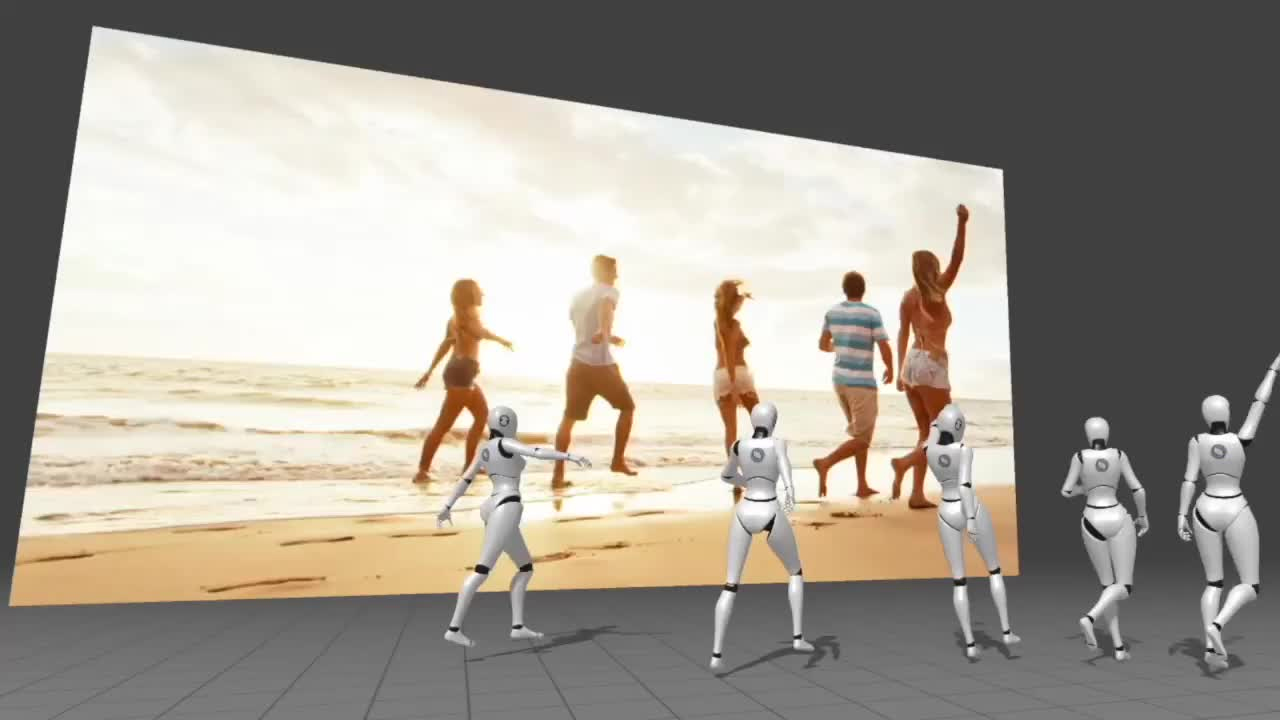
DeepMotion is an AI platform for creating 3D animations from video or text. Its main tool, Animate 3D, uses markerless motion capture, meaning it tracks human motion directly from video without sensors or suits.
- Why use it: You should use DeepMotion Animate 3D because it makes creating 3D character animations much faster, cheaper, and easier than traditional animation methods. DeepMotion also uses AI to capture human movement directly from a normal video, so you don’t need expensive mocap suits, sensors, or special cameras.
- Best for: DeepMotion is best for game developers, 3D artists, animators, and content creators who want to create character animations quickly without using expensive motion-capture equipment. By turning simple videos into realistic 3D animations, it helps speed up workflows for indie game studios, filmmakers, and VR developers. It’s also a great tool for beginners who want an easy way to animate characters without advanced animation skills.
III. Skills for 2026: From “Builder” to “Director”
In 2026, 3D art is no longer about doing all the hard work by hand. AI has become like a very smart assistant. The tools we use are no longer just software; they are smart partners. To stay ahead, your mindset needs to shift from being the person who “does the work” to being the person who “leads the vision.”
Here are the essential skills you should develop to work effectively with AI tools:
- Advanced Prompting (Technical Directing): You need to learn how to give very clear instructions. Instead of saying “make a car,” you must learn to say things like “make a red sports car with shiny metal and bright sunlight.” Learning the right words for materials, lights, and camera angles so the AI doesn’t have to guess.
- Cleaning Up” the Mess (Fixing Models): AI is fast, but it is not perfect. Sometimes the 3D models it makes have messy lines or weird shapes. You need to be able to take a messy AI sculpt and turn it into a “clean” model that works in a game engine.
- Hybrid Workflow Integration: Don’t let the AI do everything. The best artists use AI for the “boring” parts and do the “creative” parts themselves. Knowing when to use AI (to save time) and when to draw or model by hand (to make it look unique).
- Knowing “What Looks Real” (The Eye): Because AI can make anything in seconds, there will be millions of AI images and models everywhere. You need a “Good Eye.” You must be able to see if the weight of a character looks right or if the shadows are in the correct place. You are the Quality Control manager.
IV. Conclusion
AI is rapidly transforming the way 3D artists work, making it possible to create models, textures, animations, and environments faster than ever before. AI tools are helping artists streamline their workflows and focus more on creativity rather than repetitive tasks.
The most successful artists in 2026 are not those who are afraid of AI, but those who use it like a powerful new brush. AI gives you speed, but you provide the soul. While a machine can generate a perfect 3D model in seconds, only a human artist can decide if that model tells the right story or fits the right mood.
See more: The Future of AI in 3D Modeling