

Top 5 Redshift Render Farms in 2025
A Redshift render farm gives you NVIDIA GPU machines to render Redshift scenes faster than a single workstation. Fox Renderfarm, GarageFarm, GridMarkets and RebusFarm are SaaS farms: you upload a Cinema 4D, Houdini, Maya or 3ds Max project and the farm distributes frames, usually with Redshift licensing included. iRender is an IaaS rental where you run your own software on RTX 4090 or RTX 5090 servers. The right choice depends on your DCC plugin support, Redshift version, how much setup you accept and the cost of a test render at your own settings.
If you’re searching for the Top Redshift render farm in 2025, you’re not alone. With Redshift’s rising popularity as a GPU render engine, artists need reliable, high-performance render farm solutions that match modern production needs.Being the default renderer for Cinema 4D and a fan favorite for Maya, Houdini, 3ds Max, and even Blender users, Redshift requires some serious GPU oomph to access its full potential.
But not everybody has access to costly hardware like RTX 4090 GPUs or monstrous render farms in-house. That’s where cloud-based Redshift render farms come in handy, offering scalable, cost-effective solutions that enable you to render dense scenes quicker, more cheaply, and without clobbering your local machine.
In this guide, Radar Render will tear down the top 5 Redshift-compatible render farms of 2025, weighing their bundled software, hardware configurations, pricing models, and most vital features, so you can find your ideal rendering partner for your creative workflow.
What Is a Redshift Render Farm?
A Redshift render farm is a group of powerful computers connected over a network, used to render 3D images and animations using the Redshift engine. These farms either work via:
- SaaS (Software as a Service): You upload your files, and the platform renders them for you.
- IaaS (Infrastructure as a Service): You rent a remote machine and install your software.
Because Redshift is GPU-based, you need strong hardware to render fast. Buying a high-end workstation with multiple RTX 4090s can be extremely expensive. That’s why render farms are a cost-effective way to access top-tier performance without investing in hardware yourself.
Top 5 Redshift Render Farms in 2025
Fox Renderfarm
Fox Renderfarm, based in China, has been serving the 3D community since 2009 and has rendered for many blockbuster films and high-end commercials. As a SaaS platform, it allows you to render directly from its web-based dashboard or through a dedicated client.
- Hardware Specs: RTX 4090/3090/2080Ti/GTX 1080Ti; 64 to 256 GB RAM
- Pricing: Starts from $0.90 to $1.80 per node/hour; free $25 credit for new users and 40% GPU coupon
- Redshift Support:
- Versions supported: 2.5+, 2.6+, 3.0+, 3.5+, 3.6+, 2025+
- DCCs supported: 3ds Max, Cinema 4D, Maya, Houdini
- Note:
- Have the Fox Renderfarm Cloud Rendering Client app for Redshift, which you can use on your PC, and don’t need to go to their website. However, they only have Windows and Linux versions, no macOS.
- Supports many versions of Redshift
- No Blender or Katana supported.
| Redshift version | 3D software |
| 2.6+ | 3ds Max |
| 3.0+ | Cinema 4D |
| 3.5+ | Maya |
| 3.6+ | Houdini |
| 2025+ | |
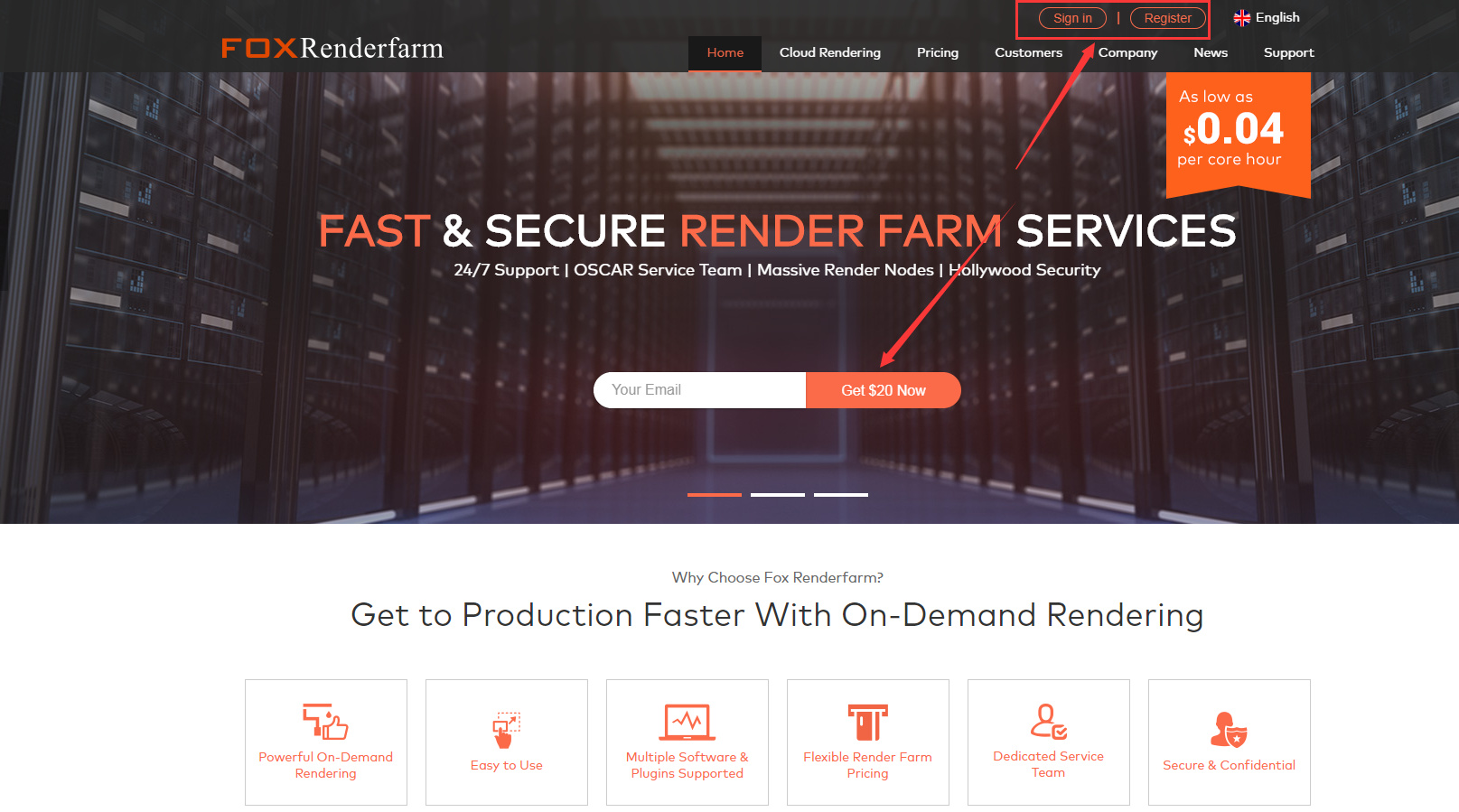 FoxRenderfarm.com
Garage Farm
GarageFarm is a UK-based render farm with over 15 years of experience in the industry. It uses the SaaS model and offers its own app, renderBeamer, which allows users to upload, manage, and render projects from their desktops.
- Hardware Specs: Tesla K80 (12GB), P100 (16GB), GTX 1080Ti, V100 GPUs; Intel Xeon E5-4669 CPUs
- Pricing: From $0.004/OBh; $25 free trial, and student discounts
- Redshift Support:
- Versions supported: 2.0 to 2025+
- DCCs supported: 3ds Max, Blender, Cinema 4D, Maya
- Note:
- Supports many versions of Redshift
- Windows, MAC, and Linux are supported
- Limited software supported (no Houdini, Katana).
| Redshift version | 3D software |
| 2.0 | 3ds Max |
| 2.5 | Blender |
| 2.6 | Cinema 4D |
| 3.0 | Maya |
| 3.5 | |
| 3.6 | |
| 2025 |
 GarageFarm.NET
GridMarkets
Based in the US, GridMarkets is a well-regarded SaaS render farm with over 5,000 users from more than 110 countries. It specializes in plug-in-based rendering, allowing you to send jobs directly from your DCC.
- Hardware Specs: 12-core machines (24 threads), Tesla P100/V100 GPUs, 64GB RAM
- Pricing: Starts from $1.36/hour for economy plans; daily rentals available from $55, $200
- Redshift Support:
- Versions supported: 3.0+, 3.5+, 3.6+, 2025+
- DCCs supported: Cinema 4D, Maya, Houdini, 3ds Max
- Note:
- Support the latest version of Redshift
- Windows, MAC, and Linux are supported
- Limited software supported (no Blender, Katana)
| Redshift version | 3D software |
| 2.6+ | Cinema 4D |
| 3.0+ | Houdini |
| 3.5+ | Maya |
| 3.6+ | 3ds Max |
| 2025+ | Blender |
| Katana |
 GridMarkets.com
iRender
iRender works differently from the other four. It is an IaaS provider: instead of uploading a scene to a managed queue, you rent a remote Windows workstation and render as you would on a local machine. Cinema 4D, Redshift, Octane and Blender come pre-installed in their latest versions, and iRender says it can provide the latest Houdini or any specific version of these applications on request, while Maya, 3ds Max and other software you install yourself. Pre-activated licenses are available only to Prime members; other users use their own Redshift license.
- Hardware Specs: RTX 4090 (24 GB) and RTX 5090 (32 GB) servers in 1, 2, 4 and 8 GPU configurations, as listed on iRender’s pricing page in November 2026
- Pricing: RTX 4090 plans at $8.20, $15, $30 and $52 per node-hour and RTX 5090 plans at $10.80, $20, $38 and $62 per node-hour for 1, 2, 4 and 8 GPUs; billed per minute with a 1-hour minimum on the single-GPU plan, about 10% off sessions of 3 hours or more, and a 100% bonus on the first top-up (minimum $50)
- Redshift Support: Latest Redshift version pre-installed; pre-activated license for Prime members only, otherwise your own license
- Security: The pricing page describes its data center as Tier III (Uptime Institute) with ISO 27001, ISO 9001 and ISO 50001 certifications, and an NDA is available for confidential projects
- Limits: You set up and maintain the machine, billing runs until you shut the server down, Redshift speed-up across several GPUs is below linear, and iRender keeps a server’s environment for 3 months after the last session (5 months on its Prime tier) and then deletes it, so copy finished files back after each project
Pricing page: irendering.net/price
RebusFarm
RebusFarm is a veteran in the render industry with over 20 years of experience, based in Germany. It offers a streamlined SaaS solution, complete with its integration plugin, RebusDrop, which works within your DCC for easy submissions.
- Hardware Specs: AMD Threadripper 3970X, Intel i9-7980XE, NVIDIA Quadro RTX 6000
- Pricing: 0.48 cent/OBh for GPU; free $27.96 trial, 50% student discount
- Redshift Support:
- Versions supported: 2.6 to 2025
- DCCs supported: 3ds Max, Cinema 4D, Maya
- Note:
- Supports many versions of Redshift
- Limited software supported (No Houdini, Blender, Katana)
| Redshift version | 3D software |
| 2.6 | 3ds Max |
| 3.0 | Cinema 4D |
| 3.5 | Maya |
| 3.6 | |
| 2025 |
 RebusFarm.net
Which render farms support Redshift in 2026?
Redshift is widely supported, but host coverage varies. The matrix below is alphabetical and reflects each provider’s own pages.
Redshift host support by provider
Which host applications each provider lists for Redshift. Yes means available, On request means it must be provisioned first.
| Provider | Cinema 4D | 3ds Max | Maya | Blender | Houdini |
|---|---|---|---|---|---|
| Fox Renderfarm | Yes | Not verified | Not verified | Not verified | Not verified |
| GarageFarm | Yes | Yes | Yes | Yes | Yes (Redshift Standalone) |
| iRender (remote workstation) | Latest pre-installed; any version on request | You install it | You install it | Latest pre-installed; any version on request | Latest or any version on request |
| Ranch Computing | Yes | Listed | Yes | Listed | Yes |
| RebusFarm | Listed | Listed | Listed | Listed | Not listed |
| Super Renders Farm | Yes | Not listed | Yes | On request | Yes |
Suits simpler projects that are finished and only need final frames, using software, versions and plugins the farm already supports.
Suits more complex work: pipelines that depend on custom plugins or specific software versions, scenes you still need to adjust directly in the viewport, and simulations or caches you want to run yourself.
On an IaaS machine you set up and run the session yourself, and billing runs until you shut it down.
Yes: the host and Redshift are listed together. Listed: both appear on the provider’s pages without an explicit pairing. Not verified: the pairing was not found on the pages checked for this guide. Ranch Computing pairings come from its project examples.
More Redshift guides on RadarRender
These articles cover Redshift by host app and project type.
- Why Redshift GPU Renders Take Unexpectedly Long in Cinema 4D (And How to Fix Out-of-Core Bottlenecks)
- Best Cloud Rendering for Cinema 4D Architecture: Redshift on Cloud GPU
- Best Render Farm for Multi-GPU Architecture: V-Ray Redshift Scaling on Cloud
- Arnold GPU vs Redshift for Houdini: Which Renderer Is Better?
- Octane and Redshift in Cinema 4D: Which One Wins?
- Why Should You Use Redshift or Cinema 4D?
- Best GPUs for Redshift in 2026
- iRender: PaaS render farm for Redshift projects
- Top Render Farm for Redshift Cinema 4D
- 3 Tips for rendering with Cinema 4D and Redshift faster
- Top 5 best Cinema 4D Redshift Render Farm
Frequently Asked Questions
What is a Redshift render farm?
A Redshift render farm is a cloud service with NVIDIA GPU machines that renders Redshift scenes for you. SaaS farms such as GarageFarm, Fox Renderfarm, GridMarkets and RebusFarm take an uploaded project and split frames across many nodes. IaaS services such as iRender rent you a whole remote workstation where you render yourself; Cinema 4D, Redshift, Octane and Blender are pre-installed in their latest versions, iRender says any specific version of these or Houdini can be set up on request, and you add other software yourself.
Do I need my own Redshift license on a render farm?
On most SaaS farms the farm provides Redshift licensing as part of the render price, which is one reason pricing differs between farms. On an IaaS workstation such as iRender, the latest Cinema 4D and Redshift come pre-installed, but pre-activated licenses are only for Prime members; other users use their own Maxon license, the same way they would on a local machine. Check each provider’s documentation for the exact license terms before you upload a project.
Does Redshift scale across multiple GPUs?
Yes, Redshift can use several GPUs in one machine, but the speed-up is below linear, so eight cards do not render eight times faster than one. VRAM also does not add up across cards: each GPU must hold the scene on its own. For animations, farms usually gain more by spreading frames across many machines than by adding cards to one.
Which Redshift render farm should I choose?
Choose by workflow rather than by one headline price. If you want to upload a scene and collect frames with little setup, a SaaS farm with a Cinema 4D or Houdini plugin is simpler. If you need a specific plugin set, an unusual Redshift version or full control of the machine, an IaaS workstation fits better. Compare cost on a short test render at your own settings.
Which render farm is an official Maxon partner for Redshift?
Super Renders Farm describes itself as an authorized Maxon render partner on its Cinema 4D page. Partner status matters mainly for licensing and version support, since the farm works directly with the software vendor. Other farms also support Redshift; check each provider’s software page for your host and version.
Can a render farm combine VRAM from several GPUs for Redshift?
No. Each GPU must hold the scene data it renders, and consumer cards such as the RTX 4090 and RTX 5090 do not pool memory. Redshift can use system RAM out of core when VRAM runs short, but rendering slows down significantly. Reduce texture sizes, use proxies, or move to a card with more VRAM, such as the 32GB RTX 5090, if your scene is close to the limit.
Does Redshift work on CPU-only render farms?
Redshift is built for GPUs, and Maxon notes it can also render on the CPU on most systems. On a farm, the CPU path is usually far slower and not what the service is priced for. For Redshift, choose GPU nodes, and check which GPU models the provider uses so the scene fits in memory.
Is one fast GPU or several GPUs better for Redshift?
Redshift can use several GPUs in one machine, and more cards shorten render time, but the gain per added card is below linear. Memory works differently: VRAM is not pooled across cards, except for NVIDIA cards linked with NVLink according to Maxon, so on RTX 4090 and RTX 5090 machines each GPU must hold the scene data it renders. For a heavy scene, the card with the most VRAM matters more than the card count. For a long animation that fits comfortably in memory, more GPUs, or more nodes on a managed farm, reduce the wall-clock time the most.
Final Thoughts
As of 2025, it’s still challenging to find render farms that fully support Redshift with less common software like Katana. Several platforms do not yet offer Redshift support for Houdini either. If you’re using Redshift with mainstream applications like 3ds Max, Cinema 4D, or Maya, you’ll have plenty of render farm options to choose from. However, for those working with Blender, Houdini, or Katana, finding a compatible service requires more research, or better yet, opting for an IaaS-based render farm that allows you to install and configure your tools.
We hope this guide has helped you discover the top Redshift render farms in 2025 and made it easier to find the right solution for your project’s rendering needs.
Read more:
- Arnold CPU vs Arnold GPU render engine: What should you choose for Maya?
- Best Octane Render Farm in 2025 for Fast 3D Rendering Workflows
Part of our guide: for a full overview of cloud options, see the Redshift render farm guide.