Top Render Farm For 3Ds Max in 2026
In 2026, 3ds Max projects are more detailed and demanding than ever, making render farms a key tool for faster and smoother workflows. The best render farms help 3d artists and studios reduce render time, handle complex scenes, and meet tight deadlines without relying only on local hardware. In this article, Radarrender will explore the top render farms for 3ds Max in 2026 and how they support high-quality, efficient rendering.
Let’s get started!
I. Autodesk 3ds Max
1. What is 3ds Max?
Autodesk 3ds Max is a professional 3D modeling, animation, and rendering software used to create high-quality 3D visuals. It is widely used in architecture, interior design, game development, product visualization, and visual effects.
3ds Max allows artists to build detailed 3D models, apply realistic materials and lighting, animate objects, and produce photorealistic images or animations using powerful render engines like V-Ray, Corona, and Arnold. Its strong modeling tools, plugin support, and flexibility make it a popular choice for both individual artists and large studios.
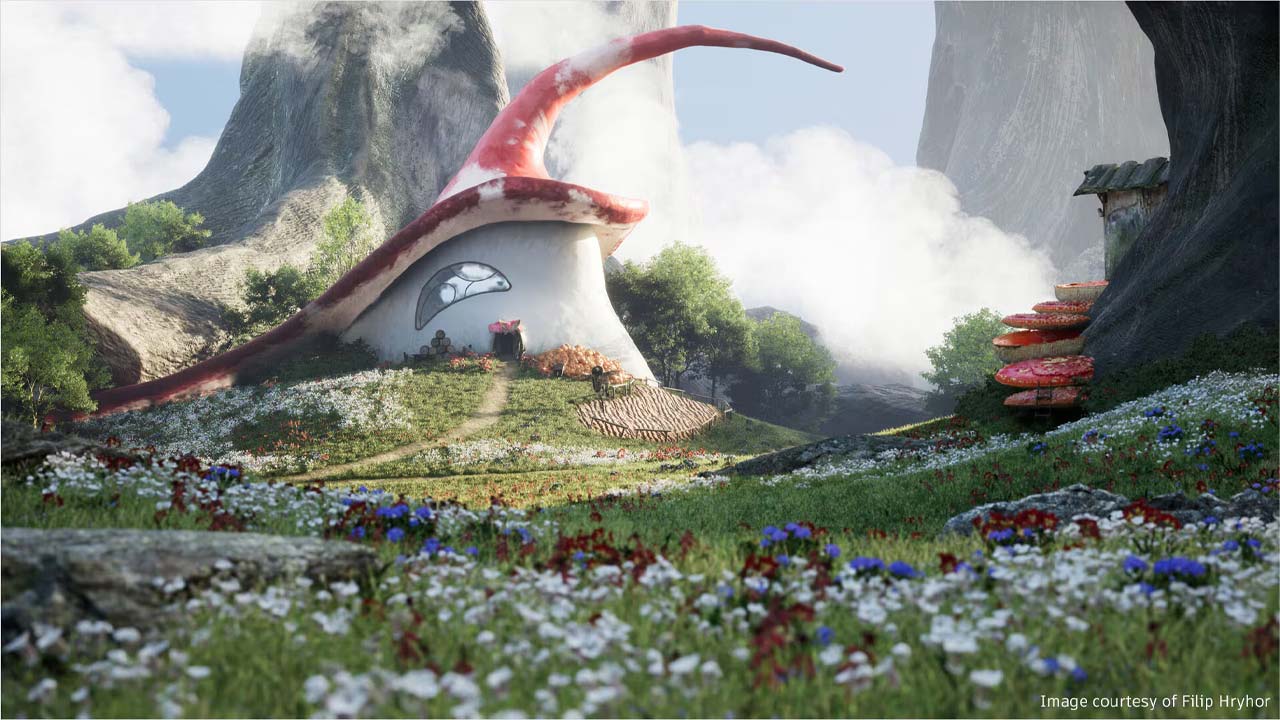
Source: Autodesk
2. System Requirements for 3ds Max 2026
Autodesk 3ds Max 2026 software is supported on the following 64-bit operating systems and requires a system with the following 64-bit hardware:
| Software/Hardware | Requirements |
| Operating System |
Microsoft® Windows® 10, version 1809 or higher. Microsoft® Windows® 11 See Autodesk’s Product Support Lifecycle for support information |
| Browser |
Autodesk recommends the latest version of the following web browsers for access to online supplemental content:
|
| CPU | 64-bit Intel® or AMD® multi-core processor with SSE4.2 instruction set |
| Graphics Hardware | Refer to 3ds Max Certified Hardware for a detailed list of recommended systems |
| RAM | 4 GB of RAM minimum (8 GB or more recommended) |
| Disk Space | 9 GB of free disk space for installation |
| Pointing Device | Three-button mouse |
II. Top Render Farm For 3Ds Max in 2026
3ds Max remains one of the most powerful tools for 3D artists, used across architecture, animation, games, and VFX. However, as scenes become more complex with advanced lighting, high-resolution textures, and GPU-heavy render engines like V-Ray, Corona, Arnold, and Redshift, local machines often struggle to finish renders quickly.
Instead of buying an expensive local computer, you can use a render farm or cloud rendering service.
Here’s Top Render Farms for 3ds Max in 2026 — covering what they offer, why they matter, and how to choose the right one for your projects.
1. RebusFarm
RebusFarm has been a trusted name in render farming for many years. It supports 3ds Max with multiple render engines like V-Ray, Corona, Arnold, and more, and has plugins that integrate directly with your workflow.
Highlights:
- Simple upload and automatic asset management.
- CPU and GPU rendering support.
- Fast response and support for complex scenes.
Configurations:
- CPU: AMD’s Threadripper 3970X
- GPU: NVIDIA RTX 4080-series hardware
- RAM: Typically around 128 GB per node (enough for large scenes)
- Price: CPU rendering price: around 1.39 ¢ per GHz-hour
GPU rendering price: around 0.52 ¢ per OB-hour - Supported software: Autodesk 3ds Max, Cinema 4D, Blender, Revit, Rhino, SketchUp, Octane, Mental Ray, Maxwell, Modo, Softimage, Lightwave.
2. iRender
iRender is a cutting-edge GPU cloud computing company that places people, joy, and creativity at the core of its mission. As a PaaS and IaaS provider, they offer worldwide cloud computing solutions with GPU rental servers service for 3D rendering (CPU&GPU Remote Render Farm), processing AI/Big Data, or any other GPU-intensive tasks.

Highlights:
- High-end NVIDIA RTX 4090 support.
- Good for both 3ds Max and other render engines.
- Flexible pricing.
Configurations:
- CPU: AMD Ryzen™ Threadripper™ PRO 3955WX, AMD Ryzen™ Threadripper™ PRO 5975WX
- GPU: 1/2/4/6/8 x NVIDIA RTX 4090
- RAM: 256 GB
- VRAM: 24 GB
- Storage (NVMe SSD): 2TB
- Price: $8.2 – $52 per node per hour
- Supported software: All software ( 3ds Max, Cinema 4D, Maya, Houdini, Redshift, Octane, Blender, V-Ray, Unreal Engine, Arnold, Iray, Omniverse, Keyshot, Twinmotion, Lumion, Enscape, D5 Render, and more).
3. Fox Renderfarm
Fox Renderfarm is one of the most widely used render farms in the industry. It supports both CPU and GPU rendering, making it a great choice whether you’re using V-Ray, Corona, Redshift, or other engines within 3ds Max.
Highlights:
- Wide software and plugin compatibility.
- Strong global infrastructure and support.
- Free trial credits for new users.
Configurations:
- CPU: Render nodes typically include 20, 24, or 36 physical cores
- GPU: Nodes equipped with NVIDIA GPUs such as GTX 1080Ti, RTX 2080Ti, RTX 3090, RTX 4090.
- RAM: 64 GB RAM, 128 GB, or 256 GB
- Price:
CPU rendering: From about $0.0306 to $0.051 per core hour
GPU rendering: From $0.9 to $1.8 per GPU node per hour
- Supported software: 3ds Max, Maya, Cinema 4D, Blender, Unreal, Houdini, V-Ray, Corona, Redshift, Arnold, Octane, RenderMan, Clarisse.
4. GarageFarm
GarageFarm (often referred to as GarageFarm.NET) is an online/cloud render farm service that lets 3D artists and studios render their projects remotely instead of relying on local computers. It’s designed to make rendering faster, easier, and more affordable — especially for complex scenes or tight deadlines.
Highlights:
- Automated workflow and helpful support.
- Detailed pre-render cost estimates.
- Useful for both freelancers and studios.
Configurations:
- CPU: Nodes with Intel Xeon v4 (22 / 44 / 88 physical cores) and AMD EPYC 3rd-gen 32 cores.
- GPU: NVIDIA RTX A5000, P100 GPUs, and L40s cards.
- RAM: 64 GB up to ~256 GB RAM.
- VRAM: 16 GB -48 GB
- Price: ~$0.024–$0.072 per GHz-hour CPU; ~$0.004–$0.012 per OB-hour GPU.
- Supported software: 3ds Max, Maya, Cinema 4D, Blender, SketchUp, V-Ray, Corona, Arnold, Redshift, ProRender, Cycles, and more.
5. TurboRender
A TurboRender farm refers to an online, cloud-based rendering service that uses a network of powerful computers (a render farm) to significantly speed up the creation of complex 2D and 3D visual content.
It’s a Software-as-a-Service (SaaS) solution that allows freelancers and studios to offload demanding rendering tasks, saving time.
It supports many versions of 3ds Max and popular engines like V-Ray, Corona, Arnold, and others.
Highlights:
- Designed for efficient 3ds Max workflows.
- Fast remote rendering with plugin support.
- Free hours for new users to test the service.
Configurations:
- CPU: Intel Xeon Gold (e.g., 5220, 6240R) with 24–64 cores
- GPU: Clusters with multiple GPUs per server
- RAM:64 GB – 128 GB
- Price: $0.87 per render-hour on CPU-only machines.
around $4.37 per render-hour for GPU servers.
- Supported software: 3ds Max, Maya, Cinema 4D, Blender, Houdini, After Effects, V-Ray, Corona, Arnold, Redshift, Octane, Eevee, Cycles.
III. Conclusion
In 2026, render farms have become an important solution for 3ds Max users who need faster rendering and reliable performance for complex projects. Leading render farms such as RebusFarm, iRender, Fox Renderfarm, GarageFarm, and TurboRender provide powerful CPU and GPU resources, wide support for render engines, and flexible pricing options to suit different workloads and budgets.
By choosing the right render farm, artists and studios can significantly reduce render times, manage heavy scenes more easily, and meet tight deadlines without investing in expensive hardware.
See more: Best Render Farm for 2026