Real-Time Rendering vs Offline Rendering: Pros and Cons
In 3D graphics, rendering is the process of converting a 3D scene into an image or animation. Today, artists and studios mainly rely on two approaches: real-time rendering and offline rendering. Each method has its own strengths and limitations, depending on the project’s goal. While real-time rendering focuses on speed and interaction, offline rendering prioritizes visual accuracy and detail. Understanding the pros and cons of both helps artists choose the right workflow, save time, and achieve the best possible results for their specific needs.
Real-time rendering
What is Real-time rendering?
Real-time rendering is a way of creating 3D images instantly as you move, click, or change something in a scene. Instead of waiting minutes or hours for an image to finish rendering, you see the result right away—usually at 30 to 60 frames per second (or more).
Real-time rendering focuses on speed and interaction, making it an important technology in many modern 3D applications.
How does Real-time rendering work?
Real-time rendering uses powerful graphics cards (GPUs) and optimized techniques to keep images updating quickly—usually between 30 and 60 frames per second, or even higher. To achieve this speed, the software simplifies complex calculations like lighting and shadows. Techniques such as baked lighting, screen-space reflections, and optimized shaders help create visuals that look good while staying fast.
Popular tools for real-time rendering include Unreal Engine, Unity, and other game engines.

Source: Unreal-Engine
Real-time rendering is widely used across different industries, including:
- Video games
- Virtual reality (VR) and augmented reality (AR)
- Architectural walkthroughs and virtual tours
- Product visualization and interactive demos
Because users can interact with the scene, real-time rendering is ideal for presentations, previews, and immersive experiences.
Offline Rendering
What is Offline Rendering?
Offline rendering is a method of creating 3D images or animations in which the computer calculates each frame to achieve the highest possible visual quality. Unlike real-time rendering, the result is not instant. A single image can take seconds, minutes, or even hours to render, depending on the scene and settings.

Source: cycles-renderer
How does Offline rendering work?
Offline rendering calculates lighting, shadows, reflections, and materials in a physically accurate way. The renderer simulates how light behaves in the real world—how it bounces between surfaces, passes through glass, or reflects off shiny objects. Because these calculations are complex, they require more processing power and time.
Render engines like Cycles, V-Ray, Arnold, and Redshift are commonly used for offline rendering. Artists can increase the number of samples, light bounces, and resolution to improve realism, even if it means longer render times.
Offline rendering is widely used in:
- Animated films and VFX
- Architectural visualization
- Product and advertising images
- High-quality still images and animations
In these cases, visual quality is more important than speed, and long render times are acceptable.
Pros and Cons
Real-time rendering
Pros:
- Instant feedback and speed
One of the biggest advantages of real-time rendering is speed. Any change you make—moving the camera, adjusting lighting, changing materials, or editing objects—appears immediately on the screen. This instant feedback helps artists work faster and avoid long waiting times.
Source: Renderlounge
- Interactive experience
Real-time rendering allows users to interact with the 3D scene freely. You can walk through a building, rotate a product, or explore a virtual world in real time. - Faster creative workflow
Because artists can see results right away, they can experiment more. Trying different ideas, testing layouts, or adjusting designs becomes easier and less frustrating. - Better communication with clients
Real-time rendering is very useful for presentations. Clients can view changes live, request adjustments, and better understand the design.
Cons:
- Lower Visual Fidelity
Real-time rendering is made to be fast, not perfect. The images usually don’t look as realistic as traditional rendering, especially for lighting, reflections, and shadows.
- Heavy Hardware Dependency
Achieving stable real-time performance—especially at 4K or 8K resolutions—requires powerful GPUs, fast CPUs, and large amounts of VRAM. Without high-end hardware, performance drops quickly, leading to lower quality or unstable frame rates.
- Limited Lighting Accuracy
Real-time engines often rely on baked lighting, screen-space effects, or simplified ray tracing. This can cause problems like fake-looking shadows, light leaks, or uneven lighting.
Offline Rendering
Pros:
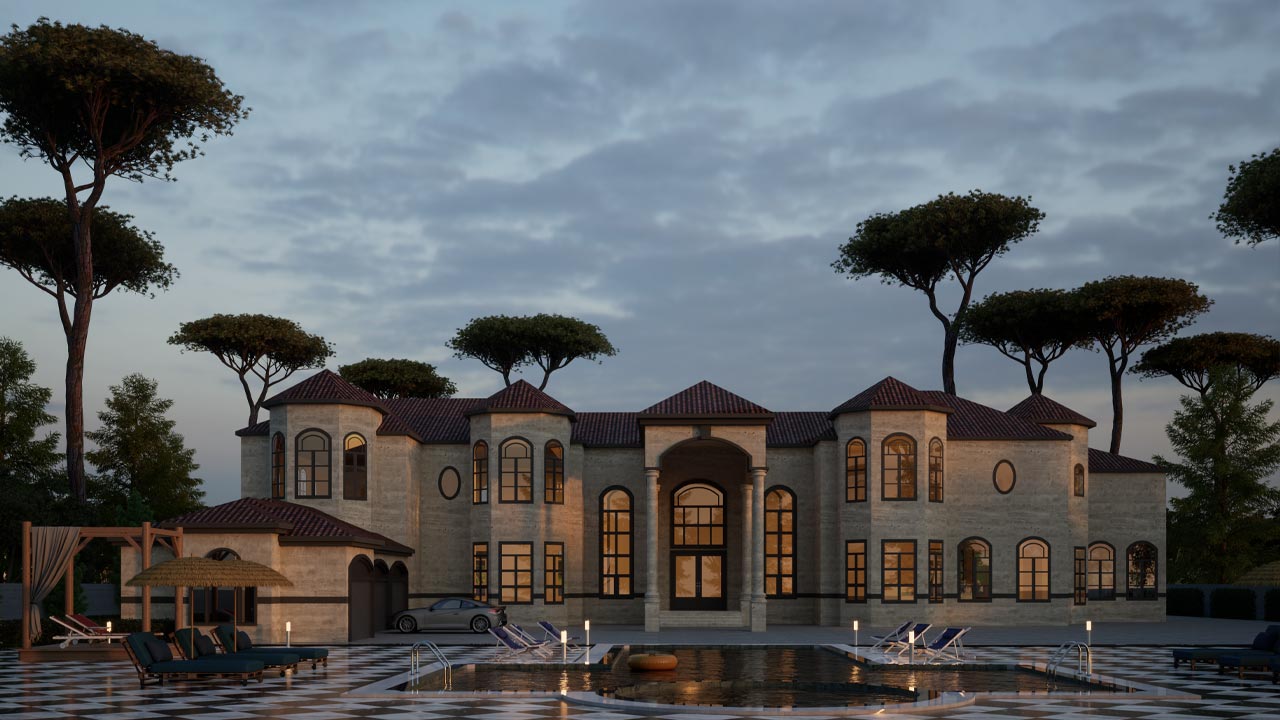
- High-quality output:
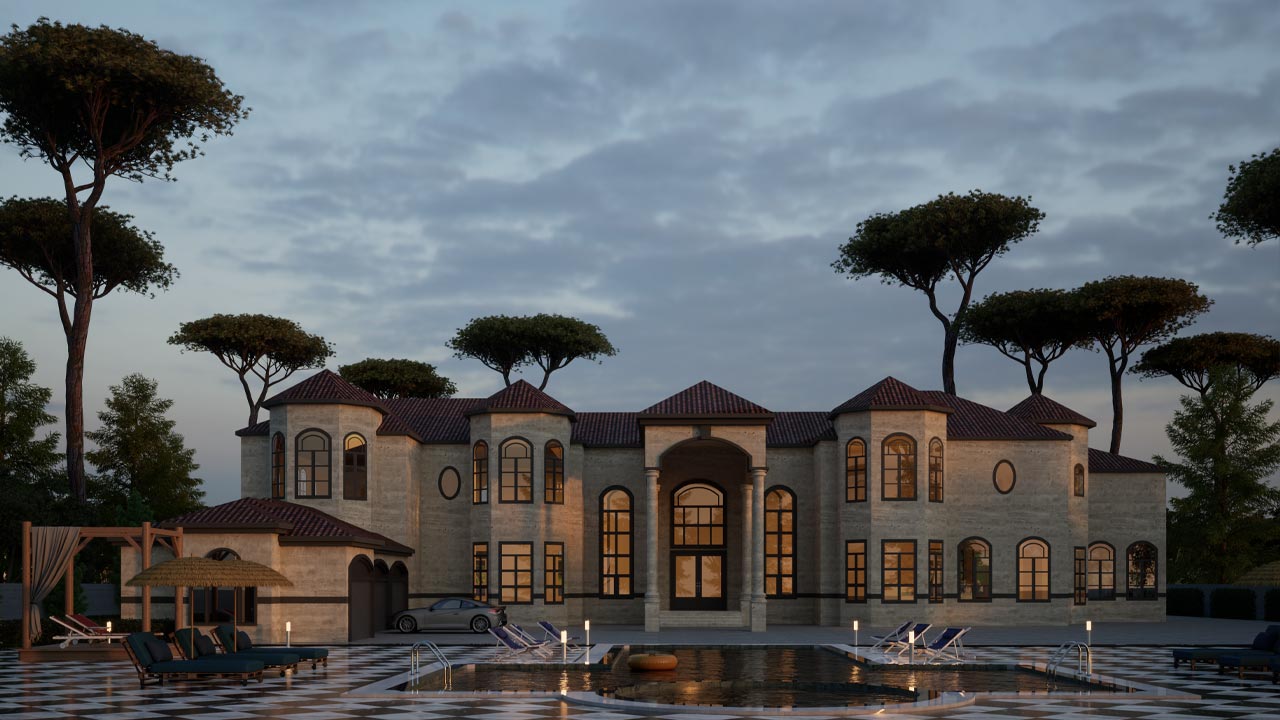
Offline rendering focuses on quality instead of speed. It produces highly realistic images with accurate lighting, shadows, reflections, and materials. This makes it ideal for photorealistic visuals.
Source: Visengine
- Advanced Lighting and Shading:
With offline rendering, intricate lighting setups and complex shader materials can be meticulously crafted to achieve precise ambiance and mood in architectural scenes.
- Better for final delivery
Because of its quality and reliability, offline rendering is often used for final marketing images, films, architectural visuals, and product shots where quality is critical.
- Flexible pipeline
Offline rendering fits well into traditional CGI workflows. It works smoothly with compositing, color grading, and advanced post-production techniques.
Cons:
- Slow rendering time
Offline rendering takes much longer than real-time rendering. High-quality images can take minutes or even hours per frame, especially with complex lighting and high resolution.
- High cost
Rendering requires powerful hardware or paid render farms. When rendering many images, costs can increase quickly, especially if scenes need multiple test renders.
- Less flexibility for quick changes
Small changes to lighting, materials, or camera angles often require re-rendering the entire image, which slows down iteration and decision-making.
- Long setup and testing time
Getting clean, noise-free results usually needs careful setup, testing, and fine-tuning of render settings. This adds time before final rendering can begin.
Real-Time Rendering vs Offline Rendering: Which one is better?
Real-time rendering and offline rendering can be compared based on speed, quality, and usage. The table below provides a clear comparison between real-time rendering and offline rendering:
| Aspect | Real-time Rendering | Offline Rendering |
| Speed | Instant (milliseconds per frame) | Slow (minutes/hours per frame) |
| Interactivity | High | None |
| Visual Quality | Moderate to high | Very high (photorealistic) |
| Hardware Focus | GPU optimization | CPU/GPU + render farms |
| Use Case | Games, VR, simulations | Films, VFX, still images |
Which rendering method is better depends on how and where it is used. There is no single best option for all situations.
Real-time rendering is better when fast results and user interaction are important. It is used in video games, virtual reality, and simulations because the images change instantly when the user moves or interacts.
Offline rendering is better when high realism and image quality are the main goals. It is used in movies, animations, and architectural images where rendering can take more time to produce very detailed and realistic visuals.
With advancements in graphics technology, the distinction between real-time and offline rendering is smaller. Real-time rendering now uses ray tracing for better realism, and offline rendering uses real-time previews to make the work faster and easier.
Conclusion
Real-time rendering and offline rendering both have advantages and disadvantages. Real-time rendering is best for games and interactive applications because it is fast and responds quickly to user actions, but the visual quality may be lower.
Offline rendering is best for movies, animations, and high-quality images because it produces very realistic results, but it takes more time and powerful computers.
In conclusion, the better choice depends on the purpose of the project. If speed and interaction are important, real-time rendering is better. If high quality and realism are needed, offline rendering is the better option.