GarageFarm vs iRender: A Complete Comparison
Rendering is one of the most time-consuming steps in any 3D production pipeline. Creating animation, product design, or rendering complex scenes can take hours or even days on a single workstation. This is where render farms become essential.
A render farm allows artists and studios to use large networks of powerful computers to process rendering tasks much faster than a local machine. Among the many services available today, two platforms are frequently mentioned by 3D artists and studios: GarageFarm.NET and iRender. Each service takes a different approach to cloud rendering and offers distinct advantages depending on the workflow, software, and project type.
This article provides a detailed comparison of these render farms, including how they work, their key features, and their strengths and limitations.
Let’s get started!
GarageFarm.NET Overview
GarageFarm.NET is a well-known cloud rendering service designed primarily for distributed rendering.
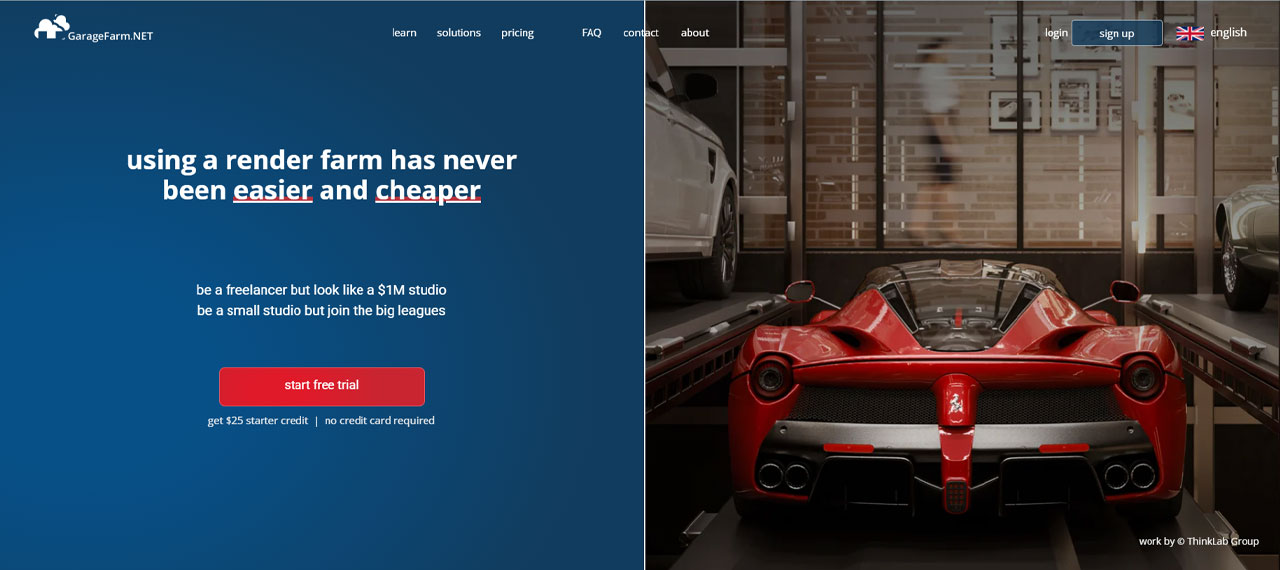
Garage Farm, which is a SaaS (Software-as-a-Service) model. This cloud render farm will connect with your 3D software and execute the process of rendering after you send your project from the interface of your application. It supports many popular 3D applications such as Blender, Autodesk 3ds Max, Autodesk Maya, and Cinema 4D.
How GarageFarm Works
GarageFarm uses a client application that connects your local 3D software to the cloud render farm.
The plugin is integrated directly into the application, allowing users to send a project with very little setup. It automatically collects all assets, relinks files, and helps choose the correct render settings. The plugin can also detect possible errors that might cause problems during network rendering. After preparing everything, it uploads the project to the cloud so users can render their project easily and manage the process smoothly.
The typical workflow looks like this:
- Register a new account
- Download and install the application
- Prepare and send the project
- Manage your project
- Review rendered frames
- Purchase credits
Key Features
One of the significant criteria that rates a render farm as an excellent one is the types of supported software. Regarding Garage Farm, they offer customers common CPU-based software such as 3Ds Max, Maya, Cinema 4D, and Blender. In addition, GarageFarm now officially supports Houdini via Redshift and V-Ray Standalone, expanding its appeal to VFX and simulation-heavy projects.
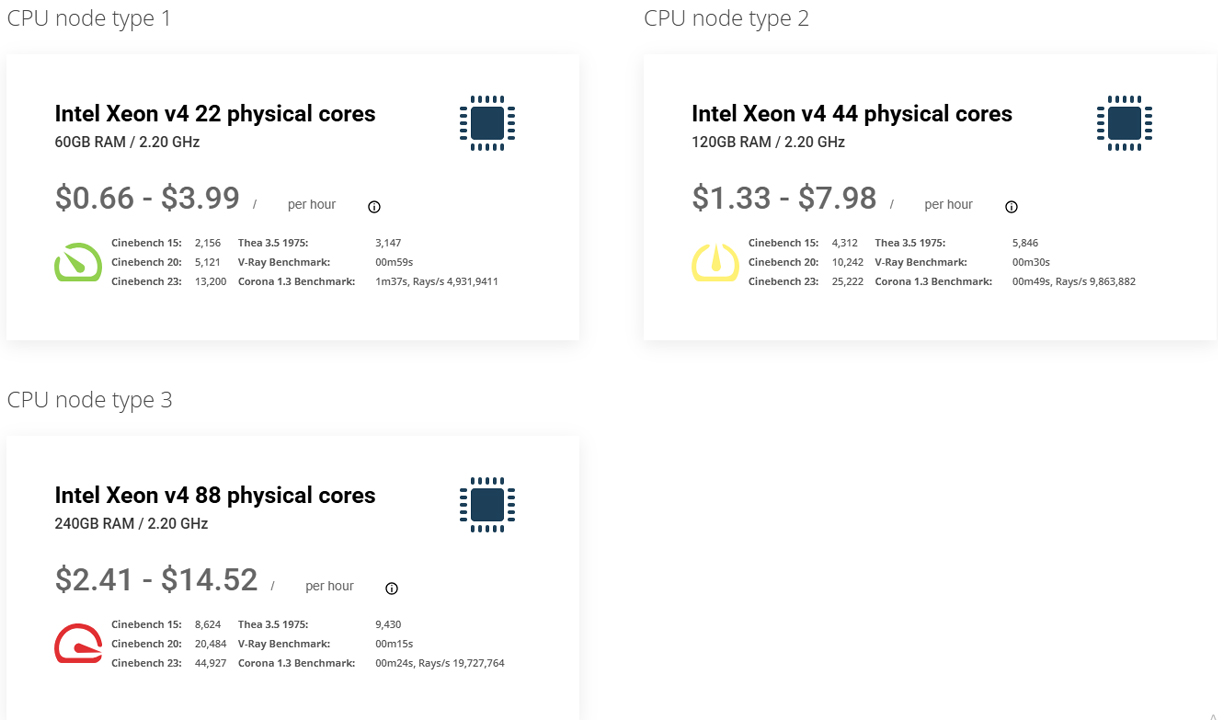
When it comes to hardware, it can be called the outstanding advantage of Garage Farm. Generally speaking, GarageFarm is the best choice for CPU-based rendering, especially when all supported software is rendered via CPU, taking full advantage of the number of CPU nodes to accelerate the rendering process for customers.
- Intel Xeon v4: 22, 44, or 88 cores, 2.20 GHz, RAM from 60 GB up to 240 GB
- AMD Epyc (3rd gen): 32 or 64 cores, 2.44 GHz, RAM 120–240 GB per node.
Advantages of GarageFarm
One of the biggest strengths of GarageFarm is its simplicity. Artists can submit jobs directly from their 3D software without learning complicated cloud workflows.
The platform also supports a wide variety of software and render engines, making it suitable for many types of production pipelines. For animation projects in particular, distributed rendering can dramatically reduce turnaround time.
Another advantage is scalability. Users can access hundreds of render nodes when needed, which can significantly accelerate large projects.
Limitations
However, distributed render farms like GarageFarm rely heavily on proper scene preparation. All textures, plugins, and assets must be correctly packaged before uploading.
Large scenes can also take time to upload, especially when they contain heavy assets or simulation caches. If something is missing in the scene, the render job may fail or produce incorrect results.
iRender Overview
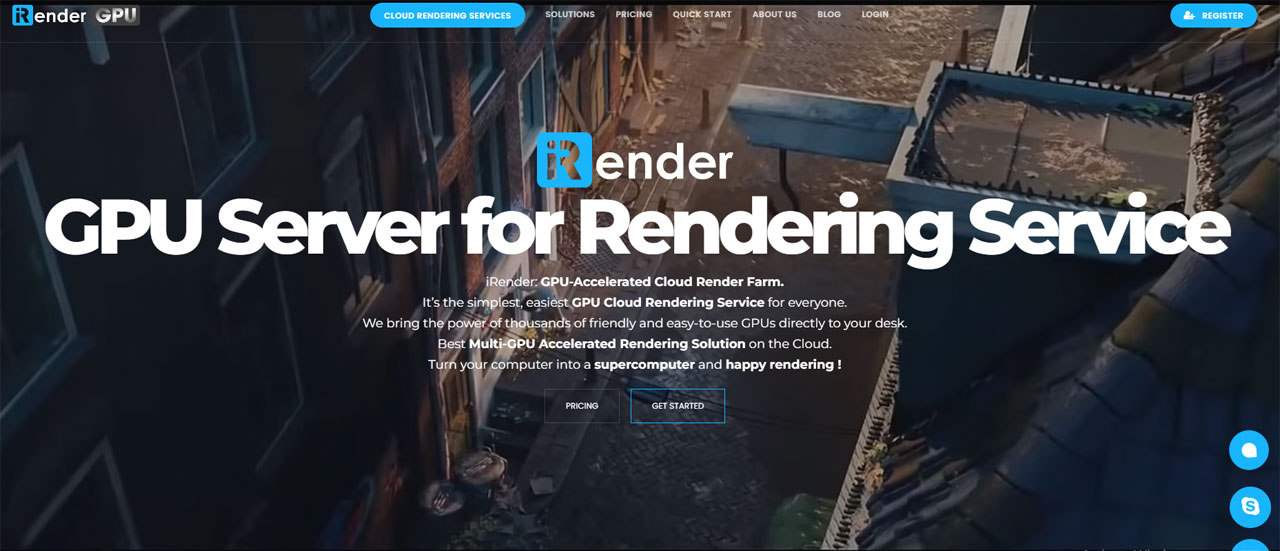
iRender is an IaaS render farm providing worldwide cloud computing solutions with GPU rental servers service for 3D rendering (CPU&GPU Remote Render Farm), processing AI/Big Data, or any other GPU-intensive tasks.
iRender has been building a robust infrastructure thanks to top-of-the-line GPUs and CPUs, to provide high computing services. Our target is to become the best cloud computing service provider for not only 3D rendering services but also AI/Big Data services for Machine Learning, Gaming, Simulation Acceleration, VR (Virtual Reality), and AR (Augmented Reality), to name but a few.
How iRender works
iRender takes a different approach compared to traditional render farms. Instead of distributing render jobs across many machines, the platform provides dedicated GPU cloud servers.
Users rent powerful GPU workstations equipped with hardware such as NVIDIA RTX 4090 and connect to them through remote desktop. In other words, iRender functions more like a cloud workstation than a traditional render farm.
Use iRender Cloud Rendering services with just a few simple steps and get your project rendered faster.
- Register
- Recharge money
- Transfer files
- Create a new machine
- Boot a machine
- Connect to the remote server
- Shut the server down
- Get the render result
Key Features
Regarding types of software, iRender supports all major software such as 3Ds Max, Maya, Cinema 4D, Houdini, Blender, Keyshot, Lumion, Enscape, Unreal Engine, and so on.
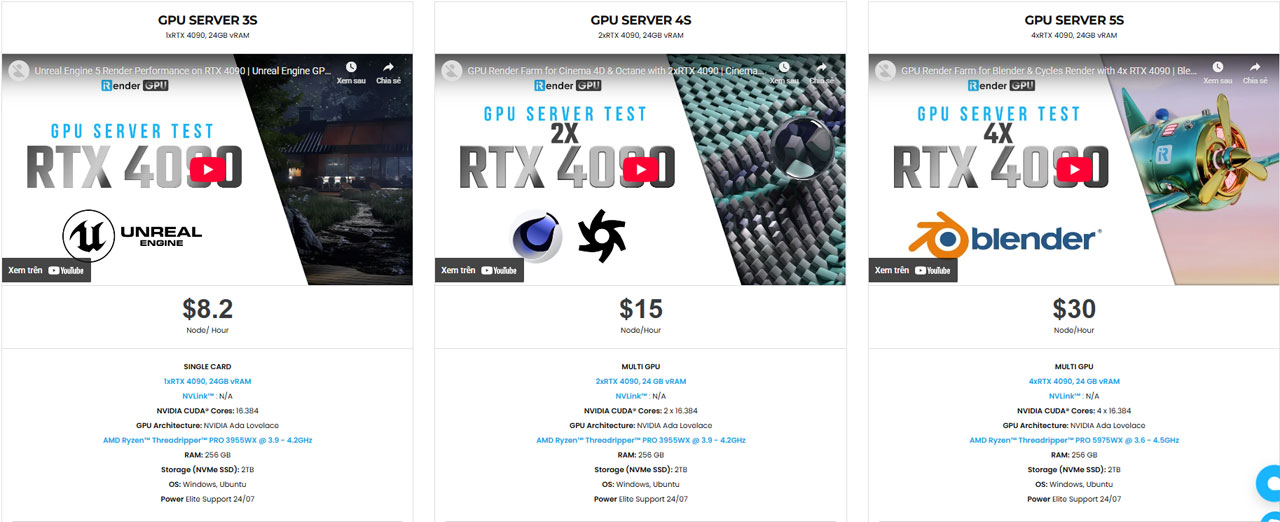
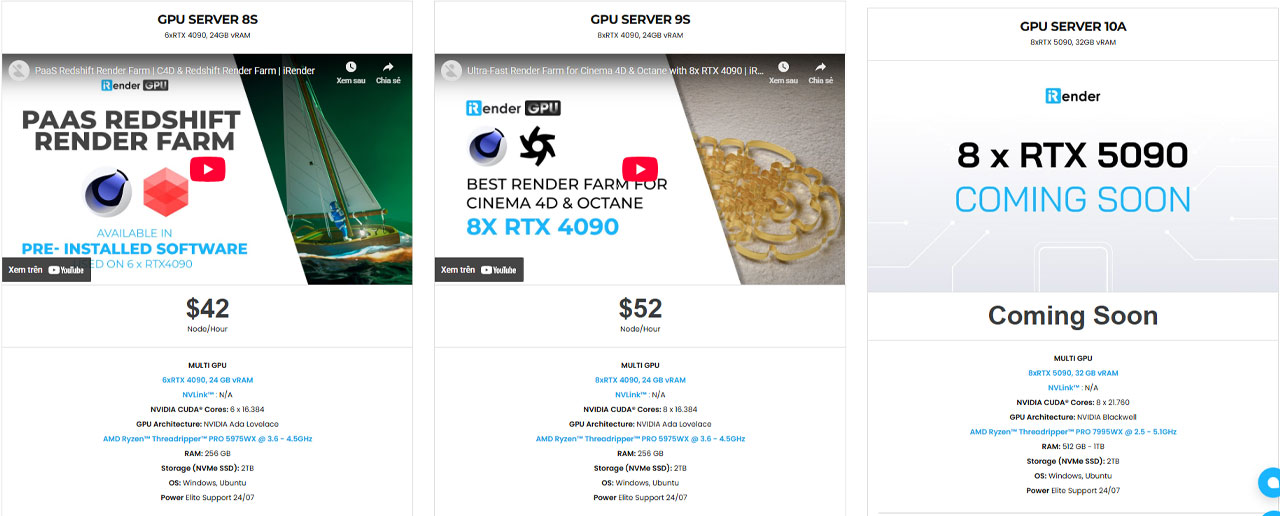
Currently, iRender mainly focuses on GPU rendering, but its servers are also equipped with powerful CPUs such as the AMD Ryzen Threadripper PRO 3955WX (3.9–4.2 GHz) and the AMD Ryzen Threadripper PRO 5975WX (3.6–4.5 GHz).
Users can choose from a variety of high-performance GPU configurations, including 1, 2, 4, 6, or even 8 × NVIDIA RTX 4090 GPUs on a single server. The company is also preparing to launch new servers equipped with 8 × NVIDIA RTX 5090, which will be ideal for extremely demanding rendering projects.
Detailed information about the pricing and hardware specifications is shown in the images below:
Advantages
One of the biggest advantages of iRender is flexibility. Users can install and use any kind of software, renderer, or plugin on iRender servers, then add their license and render.
Another major advantage of the iRender rendering service is its free file transfer tools. The platform provides iRender GPU for Windows and iRender Drive for macOS, which allow users to easily upload project files from their local computer to the remote server. These tools are particularly convenient because not many IaaS-based render farms offer free and simple file transfer solutions along with the ability to expand storage when needed. Users can upload files in any format through the iRender apps before connecting to the server. This makes the workflow smoother and helps save both time and cost during the rendering process.
Limitations
The workflow may feel slightly more technical and complex for beginners since users must manage their own environment.
Another challenge is software licensing. Currently, iRender only provides Cinema 4d and Redshift licenses. If you use other software, you need to use your own license instead. In some cases, users hesitate to use an IaaS render farm because they don’t have software licenses.
Which Render Farm Should You Choose?
If you need maximum control and powerful GPU hardware, iRender is often the better choice. It works as an Infrastructure-as-a-Service (IaaS) platform where users rent a remote workstation with high-end GPUs such as RTX 4090 and connect to it through a remote desktop. This means you can install your own software, plugins, and custom tools, and render projects exactly like working on your own computer in the cloud. Because these servers can include multiple GPUs and large amounts of RAM, they are particularly suitable for GPU render engines like Redshift, Octane, or Blender Cycles. High-performance hardware and multi-GPU configurations also allow complex scenes and heavy workloads to render faster on a single powerful machine.
On the other hand, GarageFarm is a Software-as-a-Service (SaaS) distributed render farm that focuses on automation and ease of use. Artists simply install the plugin, submit their scene directly from the 3D software, and the platform automatically distributes frames across many render nodes in the cloud. This system is especially efficient for animation rendering because multiple frames can be rendered simultaneously by different machines. GarageFarm also integrates well with popular 3D software such as Blender, 3ds Max, and Maya, making it a convenient option for freelancers and studios that want a simple workflow without managing cloud servers themselves.
Final Thoughts
Both GarageFarm.NET and iRender offer powerful solutions for cloud rendering, but they serve different creative workflows. GarageFarm excels at distributed rendering, making it a strong choice for animation projects where hundreds or thousands of frames can be rendered in parallel across many nodes.
Meanwhile, iRender focuses on high-performance GPU cloud workstations, giving artists full control over their software environment and access to powerful multi-GPU servers for demanding scenes.
In simple terms, if your priority is fast animation rendering, GarageFarm can be a great fit. If you need maximum flexibility and powerful GPU performance, iRender may be the better choice. Ultimately, the right render farm depends on how you work and what your project demands.