Why Should You Use Redshift or Cinema 4D?
In today’s fast-moving world of AI research, 3D visualization, and digital content creation, speed and efficiency matter more than ever. Redshift has emerged as one of the most powerful render engines for Cinema 4D, helping artists and studios transform complex ideas into high-quality visuals faster and smarter.
Built as a GPU-accelerated renderer, Redshift delivers stunning, production-ready results while maintaining full creative control. With its deep integration into Cinema 4D, Redshift streamlines workflows, reduces render times, and boosts productivity. For these reasons, Redshift stands out as a practical and powerful rendering solution for Cinema 4D users across many creative industries.
For more details, we will discuss together more about the topic Why you should use Redshift for Cinema 4D in this article.
Let’s get started!
I. Maxon Redshift and Cinema 4D
Cinema 4D and Redshift are core parts of Maxon’s professional 3D and rendering ecosystem, widely used in motion graphics, visualization, and visual effects.
Cinema 4D is recognized for its intuitive interface, powerful modeling tools, and strong procedural workflows, making it accessible to beginners while remaining robust for advanced users and studios.

Source: Maxon
Redshift, Maxon’s GPU-accelerated render engine, is built for high-performance and production-level rendering. It is designed to efficiently handle complex scenes, large textures, and detailed lighting setups while giving artists precise control over quality and performance. Redshift integrates seamlessly with Cinema 4D, allowing users to move smoothly from scene creation to final rendering without breaking their workflow.

Source: Maxon
Together, Cinema 4D and Redshift offer a fast, reliable, and scalable solution for creating high-quality 3D visuals, making them a popular choice across industries such as motion design, product visualization, architecture, and visual effects.
When combined, they provide a seamless workflow with deep integration, enabling users to work efficiently from scene setup to final rendering. Redshift enhances Cinema 4D by delivering faster render times, advanced lighting and shading controls, and the ability to handle complex scenes with large geometry and textures. This integration supports a wide range of creative fields, including motion graphics, product visualization, architectural rendering, and visual effects.
II. Why Should You Use Redshift For Cinema 4D?
Redshift is a powerful, GPU-accelerated renderer that seamlessly integrates with Cinema 4D, providing artists with a fast and efficient solution for high-quality rendering. By leveraging advanced features such as ray tracing, global illumination, and a sophisticated shading system, Redshift enables the creation of stunningly realistic visuals while significantly reducing render times.
1. GPU-Accelerated Speed and Performance
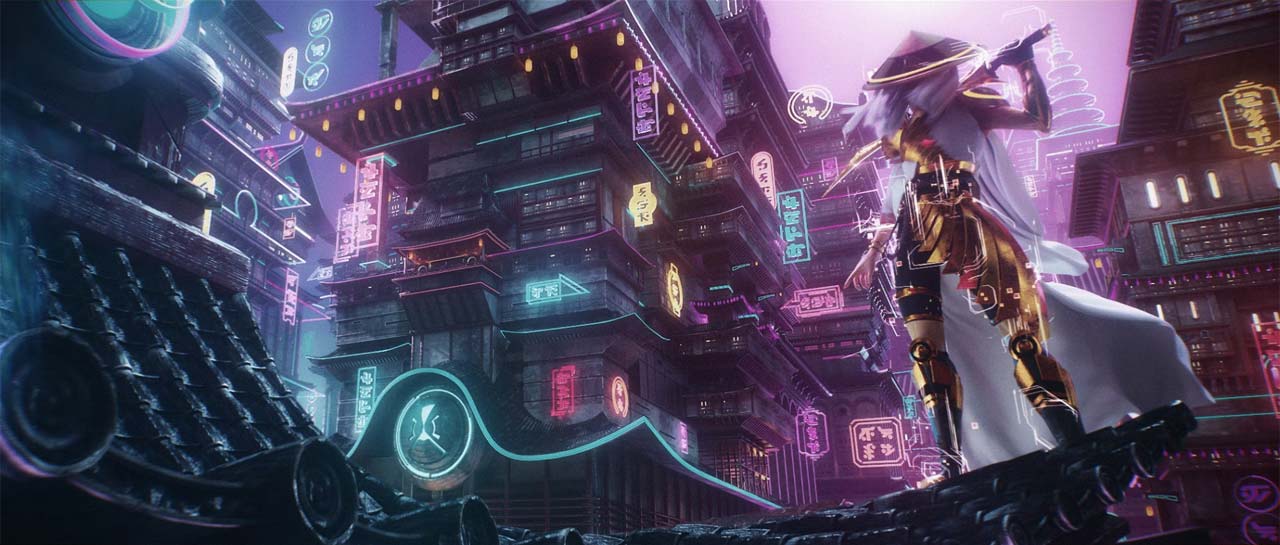
One of the standout features of Redshift is its GPU-accelerated rendering, which sets it apart from traditional CPU-based render engines. While CPU rendering relies on the computer’s central processor to calculate every light, shadow, and pixel in a scene, GPU rendering leverages the graphics card—a specialized processor designed for handling massive amounts of parallel calculations. This approach allows Redshift to process complex scenes much faster and more efficiently. Scenes with millions of polygons, high-resolution textures, and complex lighting setups can take hours or even days on a CPU. Redshift’s GPU acceleration reduces this to a fraction of the time, meaning you can iterate quickly and meet tight deadlines.
Source: Maxon
2. Perfect Integration
As we know, Cinema 4D and Redshift are now both developed by Maxon. Therefore, their integration is so perfect.
Redshift integrates seamlessly with Cinema 4D, providing a user-friendly interface and straightforward workflow. Unlike third-party renderers that may feel separate or require constant switching between interfaces, Redshift is built to work directly within Cinema 4D’s environment. This means you can set up scenes, adjust materials, lights, and cameras, and render your final output all without leaving the software.
In essence, Redshift feels like a natural extension of Cinema 4D, not an add-on. This seamless integration reduces technical friction, speeds up the rendering process, and allows 3D artists to focus on design rather than worrying about compatibility or technical limitations.

Source: School of Motion
4. High Quality
Redshift is a production-ready renderer designed to produce photorealistic results while maintaining efficiency, making it suitable for everything from motion graphics to architectural visualization and product design. Redshift handles advanced lighting, reflections, shadows, and materials very well, so surfaces like glass, metal, and fabric look natural. Even with large, complex scenes, it keeps details sharp and consistent. Features like motion blur, displacement, and volumetrics make animations and images look more lifelike.
Besides, It also gives artists flexibility to create both realistic and stylized visuals, all while maintaining high quality. With Redshift, Cinema 4D users can produce professional, eye-catching renders without long waits or complicated setups.

Source: Maxon
5. Flexible and Effecient Workflow
Redshift provides Cinema 4D users with a flexible and efficient workflow that streamlines the entire rendering process. Artists can easily adjust settings to balance speed and quality, making it simple to create quick previews during design stages and high-quality final renders for production. Also, Redshift handles complex scenes with large textures, heavy geometry, while features like instancing and proxies help reduce memory usage. Its interactive rendering allows users to see real-time updates as they tweak lights, materials, or camera angles, speeding up iterations and creative experimentation. Fully integrated with Cinema 4D, Redshift ensures a smooth, intuitive workflow, making it ideal for freelancers, studios, and 3D artists looking to work faster without affecting quality.

Source: Toolfarm
5. Multi Render farm support
In the past, the lack of render farm support has been one of the issues for artists using GPU render engines, but now Cinema 4D and Redshift are changing that.
Redshift is a GPU-based renderer, so it’s already fast on a single computer. But for large animations, detailed scenes, or heavy simulations, rendering can still take a long time. A render farm splits the project into smaller tasks and runs them on multiple computers at the same time. This speeds up the rendering and lets the artist keep working on other parts of the project without waiting.
Top render farm support Redshift and Cinema 4D:
- RebusFarm – Offers a Cinema 4D plugin that simplifies submission of Redshift projects.
- iRender – Focuses on GPU-based rendering, allowing users to leverage multiple high-end GPUs for heavy Redshift scenes.
- GarageFarm.NET – Provides real-time error checking and supports Redshift GPU rendering for Cinema 4D.
- Drop & Render – Official Redshift partner, optimized for handling AOVs, proxies, and large scenes.
III. Conclusion
All in all, using Redshift for Cinema 4D offers a combination of speed, flexibility, and high-quality rendering that makes it an essential tool for 3D artists. Its GPU-accelerated performance allows faster renders, even for complex scenes, while its deep integration with Cinema 4D ensures a smooth, intuitive workflow. Redshift also delivers photorealistic results and handles large projects efficiently, giving artists the freedom to focus on creativity rather than technical limitations. For anyone looking to produce professional, high-quality visuals quickly and efficiently, Redshift is the ideal rendering solution render engine.
See more: Top 5 Redshift Render Farms in 2025